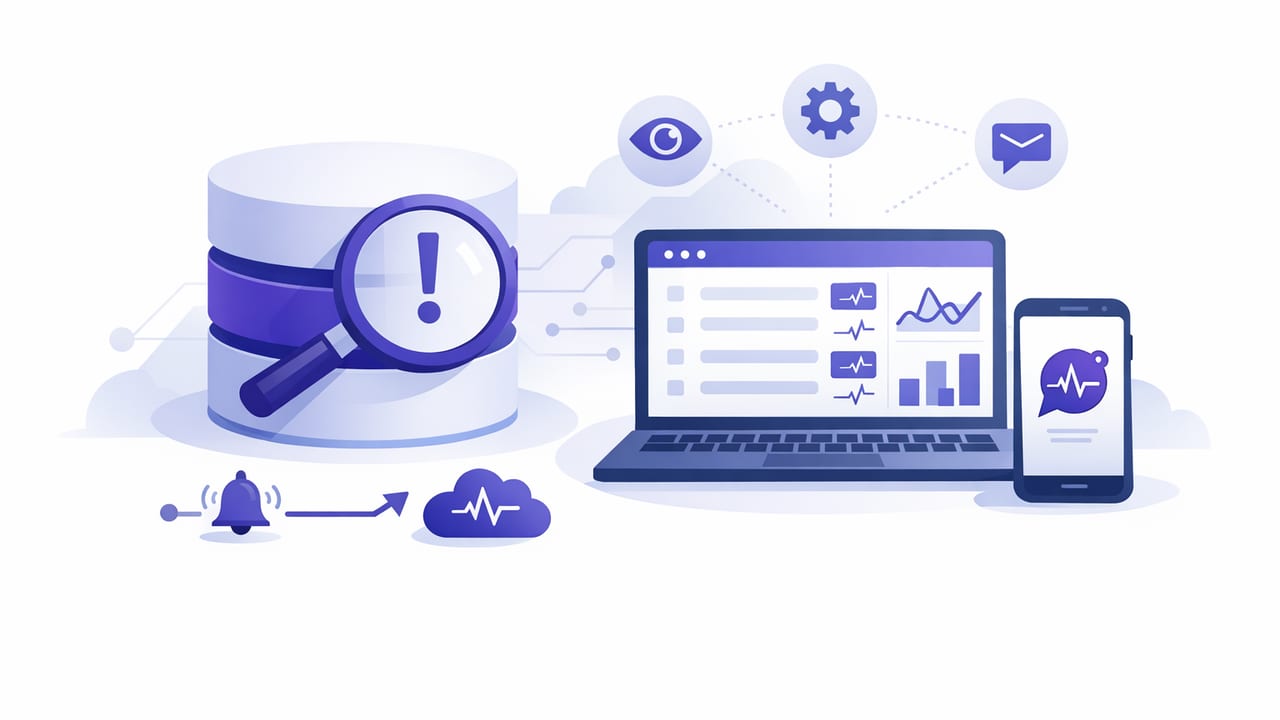
Most teams want to know when important data changes—failed logins spike, subscriptions drop, a key document field flips, inventory hits zero—but don’t want to ship new backend code, add triggers, or wire up a full CDC pipeline just to get notifications. The good news: there is a no code way to watch database changes that works for many operational needs: run read-only queries on a schedule and turn the results into alerts.
This approach is simple: you define what “changed” means (a count, a sum, a max timestamp, a “new rows since last check” query, an aggregation result), and a monitoring tool checks it at your chosen interval. When the result crosses a threshold or differs from a baseline, you get notified.
Below is a practical, production-friendly guide for SQL and NoSQL databases, with query patterns you can copy, safety tips, and a comparison of when scheduled queries are the right choice.
Why “scheduled query alerts” qualify as no-code monitoring
“No-code” here means you aren’t deploying application code, building a worker service, or changing database objects (like triggers). You’re typically doing:
- Read-only queries (SELECTs / aggregations)
- Scheduling (every minute, 5 minutes, hourly, etc.)
- Alert rules (thresholds, comparisons, or “any rows returned”)
- Notifications (push, email, Slack/ops channel, etc.)
This works especially well when you can express “something important happened” as a queryable condition.
When scheduled queries are the right tool (and when they aren’t)
Best fit
- Operational health signals: error rows, failed payments, retry backlog, stuck jobs.
- Business-critical thresholds: signups drop below X, churn rises above Y, inventory below Z.
- Security signals: suspicious login failures, new admin users, privilege changes (if logged).
- “Did anything happen?” checks: new rows in a table, documents updated with a flag, etc.
Not the best fit
- High-frequency event streaming (millisecond-level needs)
- Huge tables without suitable indexes (polling can become expensive)
- Guaranteed exactly-once event delivery (scheduled checks are typically at-least-once)
Polling vs triggers vs CDC: a quick comparison
| Approach | Setup effort | DB impact | Latency | Best for |
|---|---|---|---|---|
| Scheduled read-only queries (polling) | Low | Low if indexed | Seconds–minutes | Thresholds, anomalies, “new since last check” |
| Triggers + notification table/queue | Medium | Can be medium–high | Near real-time | Precise row-level change events |
| CDC (Debezium, native streams, etc.) | High | Varies | Near real-time | Replications, event-driven architectures, audit pipelines |
If your primary goal is timely alerts for humans (not a full event bus), scheduled queries often provide the best value-to-effort ratio.
Core patterns: define “change” in a query
There are three common patterns for a no-code way to watch database changes:
- Any rows returned: alert if query returns one or more rows.
- Threshold crossing: alert if a metric is > or < a limit.
- Delta vs baseline: alert if a metric changes too much compared to normal.
Pattern 1: “Any rows returned” (simple and effective)
Example: alert when there are failed jobs older than 15 minutes.
SELECT id, queue, error, updated_at
FROM jobs
WHERE status = 'failed'
  AND updated_at < NOW() - INTERVAL '15 minutes'
LIMIT 50;
Alert rule: notify if row count > 0.
Pattern 2: Threshold crossing
Example: alert when daily paid signups drop below a minimum.
SELECT COUNT(*) AS paid_signups_today
FROM users
WHERE created_at >= CURRENT_DATE
  AND plan = 'paid';
Alert rule: notify if paid_signups_today < 20 by 10:00 (you can implement “time of day” via scheduling or separate checks).
Pattern 3: Delta vs baseline
Example: alert when error rate is 2× higher than the last hour average.
Even if your tool doesn’t support complex baseline logic, you can often approximate it with windowed comparisons.
WITH last_10 AS (
  SELECT COUNT(*) AS errors_10m
  FROM api_logs
  WHERE created_at > NOW() - INTERVAL '10 minutes'
    AND status >= 500
), last_60 AS (
  SELECT COUNT(*) / 6.0 AS avg_errors_10m
  FROM api_logs
  WHERE created_at > NOW() - INTERVAL '60 minutes'
    AND status >= 500
)
SELECT errors_10m, avg_errors_10m
FROM last_10, last_60;
Alert rule: notify if errors_10m > 2 * avg_errors_10m.
SQL examples you can copy (PostgreSQL and MySQL)
Watch for new rows since the last check (without storing state)
If you can’t store “last seen ID” in an external system, you can alert on recent inserts. This is not perfect (you may see repeats if a check is delayed), but works well for operational awareness.
PostgreSQL: new payments in the last 5 minutes.
SELECT id, user_id, amount, created_at
FROM payments
WHERE created_at > NOW() - INTERVAL '5 minutes'
ORDER BY created_at DESC;
MySQL: new support tickets in the last 10 minutes.
SELECT id, customer_id, subject, created_at
FROM tickets
WHERE created_at > NOW() - INTERVAL 10 MINUTE
ORDER BY created_at DESC;
Watch for unexpected deletes (count drops)
Deletes are tricky to detect directly without audit logs, but you can detect symptoms (counts dropping). Example: alert if active subscriptions fall below a floor.
SELECT COUNT(*) AS active_subscriptions
FROM subscriptions
WHERE status = 'active';
Tip: pair this with a second query that shows which statuses changed recently, if you keep updated_at:
SELECT status, COUNT(*) AS changed_last_30m
FROM subscriptions
WHERE updated_at > NOW() - INTERVAL '30 minutes'
GROUP BY status
ORDER BY changed_last_30m DESC;
Watch for “stuck” pipelines (freshness checks)
Freshness checks are one of the highest ROI monitoring queries: you alert when data stops moving.
SELECT MAX(processed_at) AS last_processed_at
FROM event_ingest;
Alert rule: notify if last_processed_at < NOW() - INTERVAL '10 minutes'.
NoSQL example: MongoDB change signals via aggregations
If you can’t or don’t want to use MongoDB Change Streams, you can still monitor important changes with a scheduled aggregation on updatedAt (or a similar field you already maintain).
Example: alert if any high-severity incidents were updated in the last 5 minutes.
[
  { "$match": {
      "severity": { "$in": ["high", "critical"] },
      "updatedAt": { "$gte": { "$dateSubtract": {
        "startDate": "$$NOW",
        "unit": "minute",
        "amount": 5
      }}}
  }},
  { "$project": { "_id": 1, "severity": 1, "status": 1, "updatedAt": 1 }},
  { "$sort": { "updatedAt": -1 }},
  { "$limit": 50 }
]
Alert rule: notify if the pipeline returns any documents, or if a count exceeds a threshold.
Make it production-safe: performance and security checklist
A no-code way to watch database changes can still cause pain if it’s noisy, slow, or risky. Use this checklist to keep it safe.
Performance
- Index what you filter by:
created_at,updated_at,status, tenant/account IDs. - Avoid full-table scans: prefer time-bounded queries and selective predicates.
- Limit result sets: return only fields you need, and cap rows with
LIMIT. - Use read replicas when possible for monitoring reads.
- Choose sane intervals: start at 5–15 minutes for business metrics; 1–5 minutes for operational signals.
Correctness and noise control
- Define alert intent: “notify once when threshold crossed” vs “notify every time it remains high.”
- Add hysteresis: separate trigger and recovery thresholds (e.g., trigger at > 100, recover at < 80).
- Use time windows to avoid duplicates: “last 5 minutes” with a 5-minute interval is usually stable.
- Prefer monotonic markers (timestamps or increasing IDs) for “new rows” checks.
Security
- Use a dedicated read-only DB user with least privilege.
- Enforce TLS and restrict network access (IP allowlist/VPN where applicable).
- Avoid selecting sensitive columns (password hashes, tokens, PII) unless absolutely necessary.
- Audit access: log connections and query execution where feasible.
Rule of thumb: If you wouldn’t be comfortable pasting a query result into a shared chat, don’t return it in an alert.
A step-by-step workflow for building your first “no-code DB change watch”
- Pick one high-signal use case (freshness, failures, backlog size, critical status changes).
- Write a read-only query that expresses the condition.
- Test it with realistic data volume and inspect the query plan if it’s slow.
- Add indexes if the query filters by unindexed fields.
- Decide notification criteria: any rows, threshold, or delta.
- Schedule the interval based on urgency and database load.
- Tune for noise: add windows, limits, and recovery thresholds.
Common pitfalls (and how to avoid them)
1) “It worked in staging, but times out in prod”
Staging data is smaller; production needs indexes and time-bounded filters. Avoid querying on non-indexed JSON fields or unbounded date ranges.
2) Duplicate alerts for the same event
Polling inherently re-reads the same window. Reduce duplicates by:
- Alerting on counts rather than listing every row
- Using a short window that matches the schedule
- Adding dedupe at the alerting layer if supported
3) Monitoring queries that expose sensitive data
Keep alert payloads minimal: IDs and timestamps are usually enough. If someone needs details, they can investigate in the app/dashboard with proper access controls.
Putting it together
A no code way to watch database changes doesn’t require triggers, webhooks, or a streaming stack. For many teams, the most practical solution is to express “change” as a query, run it on a schedule, and alert on the result. Done well—read-only access, tight windows, good indexes, and noise controls—it’s fast to adopt and safe for production.
If you prefer managing these checks from a phone with push/email notifications, tools like Query Alert support connecting to common SQL/NoSQL databases and turning scheduled queries into smart alerts while keeping queries read-only and connections encrypted.