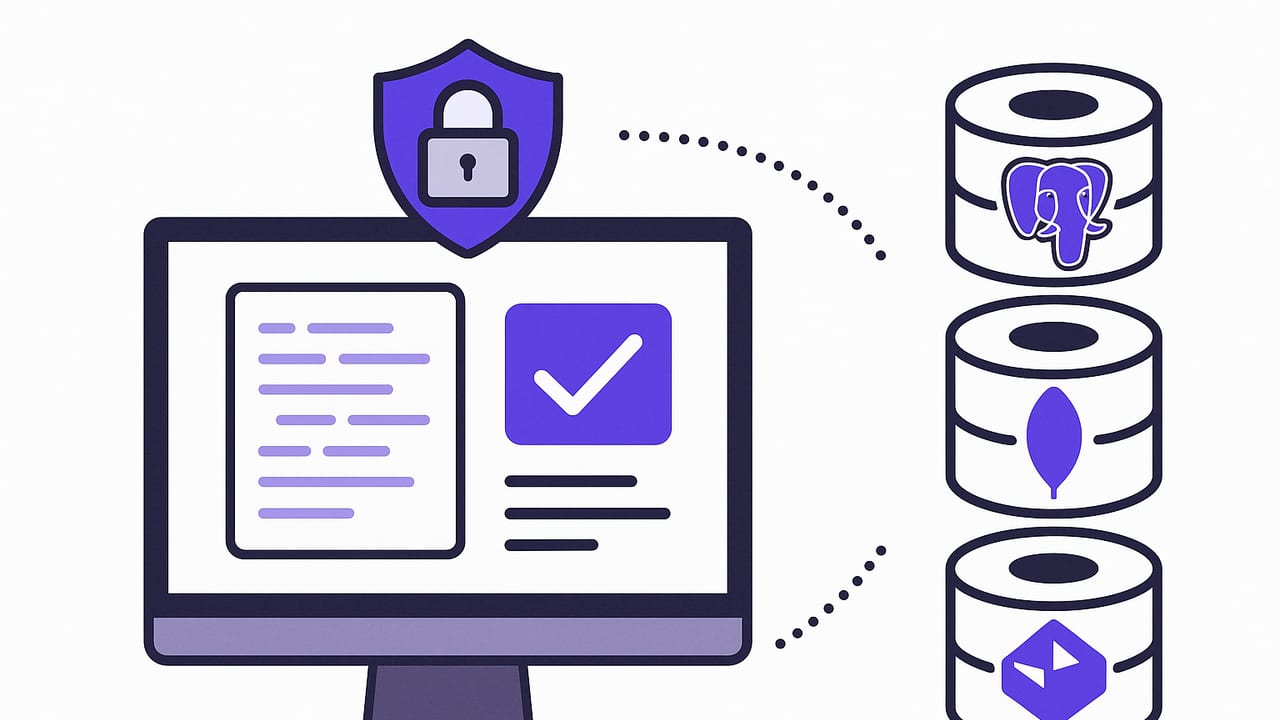
When you monitor production databases, you walk a thin line between visibility and risk. The safest approach is to monitor with read-only access and carefully crafted queries. This guide shows how to implement secure read only queries for monitoring across PostgreSQL, MySQL, and MongoDB, with concrete role definitions, safe query patterns, performance tips, and timeout controls.
Core principles for safe monitoring
- Least privilege: Use a dedicated read-only credential restricted to specific databases and schemas.
- Encrypted transport: Enforce TLS for all connections and verify server certificates.
- Parameterized queries: Never interpolate user input into SQL strings; always bind parameters.
- Short timeouts: Set strict execution and idle timeouts to prevent runaway or stuck queries.
- Predictable pagination: Use ordered, paginated reads to avoid full scans and duplicate processing.
- Auditability: Log access and queries for traceability. Rotate credentials regularly.
Rule of thumb: monitoring should be invisible to the workload. If your queries change locks, spike CPU, or scan entire tables, they are not monitoring queries — they are an incident waiting to happen.
How to craft secure read only queries for monitoring
The phrase is not just about SELECT statements. It covers identity (read-only credentials), network security (TLS), resource limits (timeouts), and query design (indexes, filters, pagination). Below are practical setups by database.
Create least-privilege read-only roles
PostgreSQL
Create a login role with no privileges beyond SELECT on the specific schema(s). Include timeouts at the role level.
-- Create a read-only role
CREATE ROLE monitor_user LOGIN PASSWORD 'replace-with-strong-password'
  NOSUPERUSER NOCREATEDB NOCREATEROLE NOREPLICATION NOINHERIT;

-- Limit to one database and schema
GRANT CONNECT ON DATABASE appdb TO monitor_user;
GRANT USAGE ON SCHEMA public TO monitor_user;
GRANT SELECT ON ALL TABLES IN SCHEMA public TO monitor_user;
GRANT SELECT ON ALL SEQUENCES IN SCHEMA public TO monitor_user;

-- Ensure future tables remain read-only
ALTER DEFAULT PRIVILEGES IN SCHEMA public
  GRANT SELECT ON TABLES TO monitor_user;

-- Safety guardrails
ALTER ROLE monitor_user SET statement_timeout = '5s';
ALTER ROLE monitor_user SET idle_in_transaction_session_timeout = '5s';
ALTER ROLE monitor_user SET lock_timeout = '1s';
Notes: If you use multiple schemas, grant USAGE and SELECT per schema. For RLS (Row-Level Security) tables, you may need explicit policies for monitor_user.
MySQL (8+)
Grant only SELECT on the target database. Use a host whitelist and enforce TLS at the server or proxy.
-- Create user restricted by host or IP range
CREATE USER 'monitor_user'@'10.0.%' IDENTIFIED BY 'replace-with-strong-password'
  REQUIRE SSL;

-- Least-privilege grants
GRANT SELECT, SHOW VIEW ON appdb.* TO 'monitor_user'@'10.0.%';

-- Session-level limit (enforce in client on connect)
-- SET SESSION MAX_EXECUTION_TIME = 5000; -- 5 seconds
Notes: Prefer network-level allowlists and server-side TLS (with client certs if possible). If you need metadata reads for column stats, grant only what is necessary.
MongoDB
Assign a read role on a single database. Combine with TLS and appropriate read preference.
// In the target database context
db.createUser({
  user: 'monitor_user',
  pwd: 'replace-with-strong-password',
  roles: [{ role: 'read', db: 'appdb' }]
});
Notes: For monitoring replicas, consider reading from secondaries with readPreference secondaryPreferred and set readConcern to majority when consistency matters.
Query patterns that are safe and efficient
1) Incremental polling with a watermark
Instead of scanning entire tables, poll incrementally using an indexed column such as updated_at or a monotonic ID. Persist the last processed watermark and request only newer rows.
PostgreSQL
-- Requires a composite index on (updated_at, id)
SELECT id, status, updated_at
FROM orders
WHERE updated_at >= $1
ORDER BY updated_at, id
LIMIT 500;
MySQL
-- Add optimizer hint for max execution time (ms)
SELECT /*+ MAX_EXECUTION_TIME(5000) */ id, status, updated_at
FROM orders
WHERE updated_at >= ?
ORDER BY updated_at, id
LIMIT 500;
MongoDB
// Ensure an index on { updatedAt: 1, _id: 1 }
db.orders.find(
  { updatedAt: { $gte: watermark } },
  { _id: 1, status: 1, updatedAt: 1 }
).sort({ updatedAt: 1, _id: 1 }).limit(500);
Tip: Use a greater-than-or-equal comparison with a stable tie-breaker (id or _id) to avoid missing rows that share the same timestamp. Deduplicate by primary key on the client.
2) Deterministic pagination
Offset-based pagination can be costly and inconsistent during high write rates. Prefer keyset pagination with an ordered WHERE clause.
-- Postgres keyset pagination example
SELECT id, total, updated_at
FROM invoices
WHERE (updated_at, id) > (:last_updated_at, :last_id)
ORDER BY updated_at, id
LIMIT 200;
3) Indexing essentials for monitoring
- Create composite indexes that match your WHERE and ORDER BY columns.
- Avoid SELECT *; project only the columns you need.
- Use covering indexes where possible to serve reads entirely from the index.
- Keep timestamps in UTC and use a consistent precision (e.g., microseconds) for stable comparisons.
| Database | Typical index for polling | Notes |
|---|---|---|
| PostgreSQL | CREATE INDEX ON orders (updated_at, id); | Use btree; ensure id is unique for tie-breaks. |
| MySQL | CREATE INDEX idx_orders_u_i ON orders (updated_at, id); | Innodb btree; avoid functions on updated_at in WHERE. |
| MongoDB | db.orders.createIndex({ updatedAt: 1, _id: 1 }); | Supports sort and range query efficiently. |
Avoid common pitfalls
- SQL injection: Monitoring parameters (like time windows) must be bound, not concatenated. See code example below.
- Full table scans: Add indexes before enabling monitoring. Verify with EXPLAIN plans.
- Long transactions: Never hold open transactions for streaming reads. Use autocommit reads.
- Locking side-effects: Plain SELECTs in Postgres don’t block writers, but adding clauses like FOR UPDATE does. Avoid them in monitoring.
- Clock skew: Watermark logic assumes roughly synchronized clocks. Favor database timestamps (e.g., updated_at set by triggers) over client times.
- Replica lag: If reading from replicas, consider staleness. Critical alerts might require reading from the primary.
Timeouts and read concerns, by database
| Database | Execution timeout | Read preference/concern | Client-side tip |
|---|---|---|---|
| PostgreSQL | statement_timeout (e.g., 5s) | N/A | Set at role or per-connection; examine EXPLAIN to ensure index usage. |
| MySQL | MAX_EXECUTION_TIME hint; net_read_timeout | N/A | Apply optimizer hint; also set wait_timeout low for monitor sessions. |
| MongoDB | maxTimeMS on queries | readPreference, readConcern | Use secondaryPreferred where acceptable; set majority when consistency matters. |
Example: minimal, safe PostgreSQL monitor in Python
The snippet below demonstrates a polling loop with TLS, parameter binding, deterministic pagination, and a 5-second server-side timeout.
import os
import time
import psycopg2
from psycopg2.extras import RealDictCursor

dsn = (
    'host=your-hostname '
    'port=5432 '
    'dbname=appdb '
    'user=monitor_user '
    "password=replace-with-strong-password "
    'sslmode=verify-full '
    'sslrootcert=/path/to/ca.pem '
    "options='-c statement_timeout=5s'"
)

def run_poll():
    watermark = os.environ.get('WATERMARK', '1970-01-01T00:00:00Z')
    last_id = 0

    while True:
        with psycopg2.connect(dsn) as conn:
            with conn.cursor(cursor_factory=RealDictCursor) as cur:
                sql = '''
                    SELECT id, status, updated_at
                    FROM orders
                    WHERE (updated_at, id) >= (%s, %s)
                    ORDER BY updated_at, id
                    LIMIT 200
                '''
                cur.execute(sql, (watermark, last_id))
                rows = cur.fetchall()

                for row in rows:
                    # handle row (emit alert, log, etc.)
                    pass

                if rows:
                    last = rows[-1]
                    watermark = last['updated_at'].isoformat()
                    last_id = last['id']

        time.sleep(30)  # schedule interval
What makes this safe?
- Encrypted connection with server certificate verification (sslmode=verify-full).
- Server-side timeout via options (statement_timeout=5s).
- Parameterized query using %s placeholders to avoid injection.
- Deterministic ORDER BY with composite watermark and tie-breaker.
Operational hardening checklist
- Credential scoping: Restrict read-only users to the exact databases and schemas needed.
- Rotation: Rotate passwords or certificates regularly; automate via a secrets manager.
- Network controls: Allowlist monitor egress IPs. Enforce TLS with CA pinning.
- Observability: Log query durations, row counts, and error rates. Alert on spikes.
- Backoff: Implement exponential backoff on errors and jitter on schedules to avoid thundering herds.
- SLOs for queries: Define budgets (p95, p99 latency) and enforce them via timeouts and hinting.
- Schema change resilience: Project explicit columns; detect missing columns and fail closed with a clear message.
Troubleshooting performance without writing
You can diagnose most issues without write permissions:
- Explain plans: Use EXPLAIN or EXPLAIN ANALYZE on a staging clone to confirm index usage.
- Replica-aware reads: If production is sensitive, test queries on a read replica first.
- Narrow projections: Remove unnecessary columns, especially large JSON or BLOB fields.
- Filter early: Push filters to the database; avoid client-side filtering.
- Batch sizing: Tune LIMIT based on latency and cost; smaller batches reduce lock pressure and memory use.
Security-by-default query patterns
- Time-bounded checks: Always combine a predicate and a LIMIT with an ORDER BY.
- Stable keys: Pair timestamps with unique IDs to avoid gaps and duplicates.
- Server-verified TLS: Reject connections without a valid CA chain and hostname match.
- No dynamic SQL: If you must generate SQL, whitelist table/column names and validate against system catalogs.
Putting it all together
Secure read only queries for monitoring are ultimately about control: control of identity (read-only roles), control of resource use (timeouts and indexes), and control of semantics (deterministic, incremental reads). With these guardrails, monitoring becomes low risk and high signal, even at scale.
If you prefer a mobile-friendly workflow for scheduling checks and receiving notifications across PostgreSQL, MySQL, and MongoDB, you can also explore tools like Query Alert, which implement many of these practices out of the box while keeping connections encrypted and queries read-only.