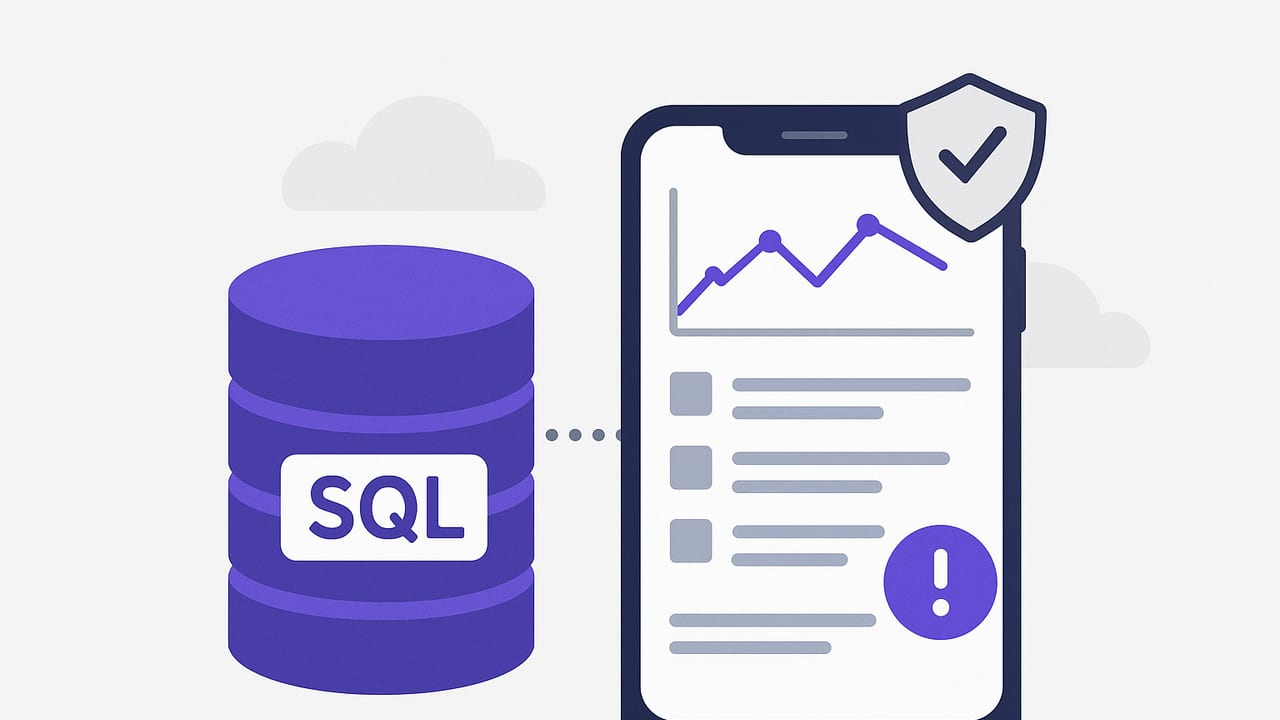
If you run a small team or a side project, you still need to know when the data changes in ways that matter—orders failing, queues piling up, signups dropping, or a suspicious spike. The challenge: you want a cheap mobile database monitoring solution that sends reliable alerts to your phone without the heavy cost or complexity of a full-blown observability stack.
This guide shows how to build or choose an affordable, secure way to get mobile alerts from PostgreSQL, MySQL, or MongoDB. You’ll see practical patterns, lightweight tools, cost estimates, and copy‑paste examples you can adapt today.
What does “cheap” mean for mobile database monitoring?
Costs vary based on how much you DIY vs. buy. For most teams aiming for a cheap mobile database monitoring solution, target these ranges:
- $0–$5/month: DIY with serverless cron, free email tiers, or a one‑time push app.
- $5–$15/month: Add paid push delivery or secrets management beyond free tiers.
- $15–$30+/month: Managed tools or multiple databases/alerts with redundancy.
For many small use cases—one to three alerts, a few checks per hour—you can stay under $10/month comfortably while maintaining good security and reliability.
Core requirements to evaluate
When choosing a cheap mobile database monitoring solution, weigh the following:
- Scheduling and latency: Do you need near real-time (seconds) or periodic checks (every 5–15 minutes)? Faster checks cost more.
- Reliability: Retries, backoff, and deduplication prevent alert storms or missed events.
- Noise control: Thresholds, change detection, and cooldowns keep alerts actionable.
- Security: Read-only credentials, TLS, IP allowlists/VPC access, and secret storage are non-negotiable.
- Database coverage: At minimum, Postgres/MySQL; optionally MongoDB or others.
- Delivery: Push notifications, email, or both; consider on-device filters and quiet hours.
Approach comparison: DIY vs. serverless vs. app vs. platform
| Approach | Est. monthly cost | Setup time | Pros | Cons |
|---|---|---|---|---|
| DIY cron on a small VPS (e.g., $5/mo) | $5–$7 | Medium | Full control; predictable cost | Server maintenance, patching, IP allowlists |
| Serverless + scheduler (e.g., AWS Lambda + EventBridge) | $0–$5 | Low–Medium | No servers; generous free tier; scales | Cloud IAM/permissions learning curve |
| Mobile app that runs read-only queries | $0–$10 | Low | Fast setup; on-device notifications | Device must be reachable; battery/network constraints |
| Managed observability platform | $20+ | Medium | Dashboards, escalations, teams | Higher cost; potential overkill for small use |
If you need the absolute cheapest route and can tolerate some setup, serverless + email/push is often the sweet spot.
Step-by-step: Build a sub-$5/month serverless alert
1) Define alert conditions with “actionable” logic
Start with one or two high-signal checks:
- Any failed payments in the last 10 minutes?
- Queue length over 500 for 5+ minutes?
- Day-over-day revenue drop > 30%?
Make the condition strict to avoid notification fatigue.
2) Create a read-only database user
Never monitor with admin credentials. Create a least-privilege role that can only read specific schemas/tables.
PostgreSQL
-- As a privileged user
CREATE ROLE monitor_ro LOGIN PASSWORD 'REDACTED';
GRANT CONNECT ON DATABASE mydb TO monitor_ro;
GRANT USAGE ON SCHEMA public TO monitor_ro;
GRANT SELECT ON ALL TABLES IN SCHEMA public TO monitor_ro;
ALTER DEFAULT PRIVILEGES IN SCHEMA public GRANT SELECT ON TABLES TO monitor_ro;
MySQL
CREATE USER 'monitor_ro'@'%' IDENTIFIED BY 'REDACTED';
GRANT SELECT ON mydb.* TO 'monitor_ro'@'%';
FLUSH PRIVILEGES;
Require TLS and, where possible, restrict source IPs or use a private network/VPC.
3) Write a small function that runs your query and sends a notification
The following Node.js example checks a Postgres condition and emails if it triggers. It includes basic noise control (cooldown).
// package.json deps: pg, nodemailer
// Environment vars: PGHOST, PGUSER, PGPASSWORD, PGDATABASE, PGPORT, SMTP_HOST, SMTP_USER, SMTP_PASS, ALERT_TO, ALERT_FROM, COOLDOWN_MINUTES
const { Client } = require('pg');
const nodemailer = require('nodemailer');

const COOLDOWN_MINUTES = parseInt(process.env.COOLDOWN_MINUTES || '30', 10);
let lastSentAt; // In serverless, keep minimal state in memory per warm container

async function checkCondition() {
  const client = new Client({
    host: process.env.PGHOST,
    user: process.env.PGUSER,
    password: process.env.PGPASSWORD,
    database: process.env.PGDATABASE,
    port: parseInt(process.env.PGPORT || '5432', 10),
    ssl: { rejectUnauthorized: true }
  });
  await client.connect();

  // Example: any failed payments in last 10 minutes?
  const sql = `
    SELECT COUNT(*)::int AS failures
    FROM payments
    WHERE status = 'failed' AND created_at > now() - interval '10 minutes';
  `;
  const { rows } = await client.query(sql);
  await client.end();
  return rows[0].failures > 0 ? rows[0].failures : 0;
}

async function sendEmail(subject, text) {
  const transporter = nodemailer.createTransport({
    host: process.env.SMTP_HOST,
    port: 587,
    secure: false,
    auth: { user: process.env.SMTP_USER, pass: process.env.SMTP_PASS }
  });
  await transporter.sendMail({
    from: process.env.ALERT_FROM,
    to: process.env.ALERT_TO,
    subject,
    text
  });
}

exports.handler = async () => {
  const failures = await checkCondition();
  if (failures > 0) {
    const now = Date.now();
    if (!lastSentAt || (now - lastSentAt) / 60000 >= COOLDOWN_MINUTES) {
      await sendEmail(
        `ALERT: ${failures} failed payments in last 10m`,
        `Detected ${failures} failed payments in the last 10 minutes.`
      );
      lastSentAt = now;
      return { ok: true, sent: true, failures };
    }
    return { ok: true, sent: false, reason: 'cooldown', failures };
  }
  return { ok: true, sent: false, failures };
};
Cost control tips:
- SMTP via a free tier (e.g., SES, SendGrid) is usually pennies per month for low volume.
- For push to iOS, services like Pushover (one‑time purchase) or webhook-to-push tools can be inexpensive.
- Schedule using AWS EventBridge (formerly CloudWatch Events) or Cloud Scheduler; both have generous free tiers.
4) Schedule it
On AWS, deploy the function to Lambda and create an EventBridge rule (e.g., rate(5 minutes)). Start with 10–15 minute intervals and tighten only where necessary to reduce cost and noise.
5) Add deduplication and change detection
To avoid repeated alerts for the same condition, incorporate a simple state store:
- Hash the result and store the hash in Parameter Store or S3. Alert only on change.
- Use a cooldown window (as shown) and a minimum delta (e.g., alert when failures increase by 5+).
Make it mobile-first
Even with email, you can create a mobile-friendly experience:
- Push notifications: Tools like Pushover, Pushcut, or Shortcuts can turn webhooks or emails into rich iOS notifications with high-priority settings.
- On-device filters: Use mail rules or Focus filters to surface critical alerts while silencing noise.
- Actionable payloads: Include relevant IDs, counts, and a deep link to your dashboard or runbook.
Practical SQL and NoSQL patterns
PostgreSQL: backlog threshold
-- Alert if unprocessed jobs exceed 500 for at least 5 minutes
SELECT COUNT(*) AS backlog
FROM jobs
WHERE status = 'queued' AND enqueued_at <= now() - interval '5 minutes';
MySQL: error rate spike
-- Error rate over last 15 minutes > 2%
SELECT
  SUM(error) AS errors,
  COUNT(*) AS total,
  (SUM(error) / COUNT(*)) * 100 AS pct_error
FROM api_requests
WHERE created_at > NOW() - INTERVAL 15 MINUTE;
In your code, compare pct_error to a threshold and apply a cooldown.
PostgreSQL: day-over-day revenue drop
WITH today AS (
  SELECT DATE_TRUNC('day', paid_at) AS d, SUM(amount) AS amt
  FROM payments
  WHERE paid_at >= now() - interval '2 days'
  GROUP BY 1
)
SELECT
  (SELECT amt FROM today ORDER BY d DESC LIMIT 1) AS amt_today,
  (SELECT amt FROM today ORDER BY d DESC OFFSET 1 LIMIT 1) AS amt_yesterday;
Trigger an alert if amt_today is, for example, 30% below amt_yesterday, but add a minimum volume guard to avoid false positives on low traffic days.
MongoDB: abnormal growth
// Node.js example: alert if orders per hour spike above 200
const { MongoClient } = require('mongodb');
async function ordersSpike() {
  const client = new MongoClient(process.env.MONGO_URI, { ssl: true });
  await client.connect();
  const col = client.db('shop').collection('orders');
  const since = new Date(Date.now() - 60 * 60 * 1000);
  const count = await col.countDocuments({ created_at: { $gte: since } });
  await client.close();
  return count > 200;
}
For MongoDB, consider using aggregation pipelines for richer checks (e.g., grouping by status or customer segment).
Security checklist for low-cost setups
- Read-only credentials: Create a dedicated monitor user per database with SELECT-only privileges.
- Encrypted connections: Enforce TLS/SSL; verify server certificates where possible.
- Network boundaries: Prefer private connectivity (VPC/VNet) or IP allowlists; avoid exposing databases publicly.
- Secrets management: Use a cloud secrets manager or parameter store, not plain env files in repos.
- Query hygiene: Parameterize queries; avoid long-running scans. Add indexes for alert predicates.
- Least data access: Limit schema access; avoid SELECT * across wide tables.
- Audit and logging: Log alerts and outcomes (triggered, skipped, cooldown) for traceability.
Cost breakdown examples
- Serverless compute: With short, periodic checks (e.g., 12 per hour), most clouds remain in free tiers or under $1/month.
- Email: Free tiers often cover thousands of emails/month; beyond that, a few dollars.
- Push: One-time license apps or low monthly fees are typical for personal use.
- Secrets/parameters: Storing a handful of secrets/hashes is cents per month.
Combined, a careful setup can keep a cheap mobile database monitoring solution in the $0–$5/month range for light usage.
Noise control patterns that keep alerts useful
- Hysteresis: Enter condition at one threshold, exit at a different one (e.g., alert when queue > 500, resolve when < 300).
- Time aggregation: Require a condition to persist for N minutes before alerting.
- Min volume guards: Don’t alert on percentages if total volume is tiny.
- Daily quiet hours: Unless truly critical, defer non-urgent alerts.
When to outgrow the cheapest path
As the number of checks grows, or when you need on-call rotations, escalations, runbooks, dashboards, and compliance (SOC 2, HIPAA), DIY starts to creak. That’s the time to evaluate specialized tools or platforms that add team features while keeping mobile notifications first-class.
Quick FAQ
Is polling the only option?
No. For some databases you can use event-driven approaches (e.g., Postgres LISTEN/NOTIFY, MySQL binlog/CDC, MongoDB change streams). They can reduce costs and latency, but add complexity and require persistent infrastructure.
How often should I run checks?
Most operational signals are fine at 5–15 minute intervals. Reserve sub-minute checks for truly critical, high-value paths.
What’s the easiest path to iOS push?
If you aren’t building your own app, consider a webhook-to-push service or an email-to-push bridge with a one‑time purchase app. Configure high-priority channels only for critical alerts.
Putting it together
To assemble a production-ready, cheap mobile database monitoring solution:
- Pick one high-signal alert and write a tight, index-friendly query.
- Create a read-only user restricted to specific schemas/tables.
- Deploy a serverless function with TLS, parameterized queries, and secret storage.
- Add cooldowns, thresholds, and change detection.
- Deliver via email or push; tune Focus/filters on your phone.
- Iterate: add a second alert only if the first proves valuable.
This “minimum alerting” approach keeps costs down, preserves battery and sanity, and ensures you actually respond when something important breaks.
Pro tip: The right alert arrives rarely, says exactly what happened, and tells you where to go next.
If you prefer an off-the-shelf iOS option instead of DIY, consider a lightweight app like Query Alert that connects read-only to your databases, schedules checks at custom intervals, and sends push or email notifications with encrypted connections.