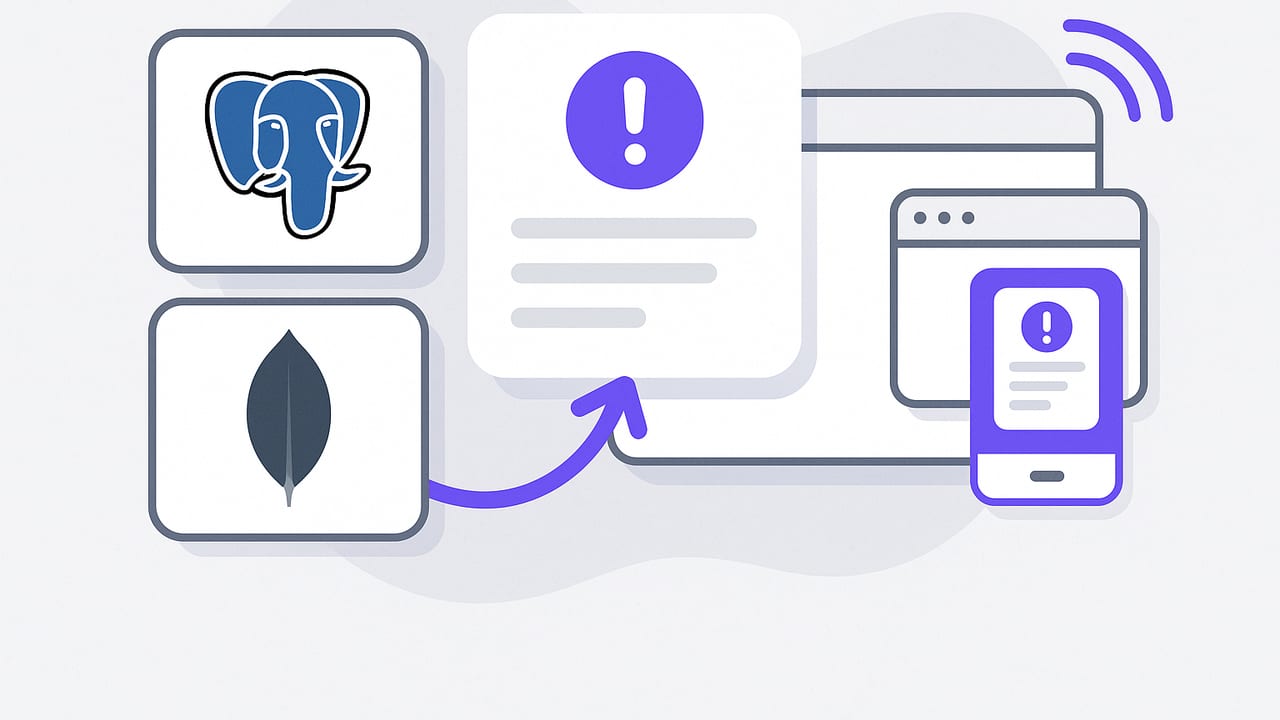
When a payment fails, inventory drops to zero, or a VIP customer places a large order, teams need to know immediately. That is the promise of push notifications for critical data changes: turning important events in your databases into timely, actionable alerts that reach the right people, on the right device, with minimal noise.
This guide walks through the architectures, tools, and implementation details to design reliable data change alerts across PostgreSQL, MongoDB, and MySQL, and to deliver them via mobile and web push. You’ll learn how to minimize load on production databases, reduce alert fatigue, and make notifications truly actionable.
What counts as a “critical” data change?
Start with a clear policy so you alert on signal, not noise. Define criteria and severity levels before you write a line of code:
- Business-impacting thresholds: orders over a value, churned accounts, inventory at or below safety stock.
- Operational health: spike in failed logins, error rates, or fraudulent transactions.
- Compliance/security: PII access anomalies, role changes, schema modifications.
- Severity tiers: high (wake someone), medium (working hours), low (digest only).
Attach an explicit owner, expected response time, and escalation path for each rule. This becomes the backbone of your alerting system and prevents random one-off notifications from proliferating.
Core architecture patterns
There are several ways to detect and propagate data changes. Choose based on your database, latency goals, and operational complexity.
1) Database-native change feeds
PostgreSQL LISTEN/NOTIFY allows your DB to push events to listeners. Use a trigger to emit JSON on critical changes:
-- PostgreSQL: notify when an order exceeds $10k
CREATE OR REPLACE FUNCTION notify_big_order() RETURNS trigger AS $$
DECLARE payload json;
BEGIN
  IF NEW.total_amount >= 10000 THEN
    payload := json_build_object(
      'order_id', NEW.id,
      'customer', NEW.customer_email,
      'total', NEW.total_amount,
      'severity', 'high',
      'occurred_at', NEW.updated_at
    );
    PERFORM pg_notify('critical_orders', payload::text);
  END IF;
  RETURN NEW;
END;
$$ LANGUAGE plpgsql SECURITY DEFINER;

CREATE TRIGGER orders_notify
AFTER INSERT OR UPDATE ON orders
FOR EACH ROW EXECUTE FUNCTION notify_big_order();
MongoDB Change Streams expose real-time change events without polling. You can watch specific collections or the whole DB:
// Node.js: MongoDB change stream for failed transactions
const cs = db.collection('transactions').watch([
  { $match: { 'fullDocument.status': 'FAILED' } }
]);
cs.on('change', (event) => {
  // event.fullDocument contains the changed record
  // enqueue a push notification with severity and context
});
MySQL doesn’t have a built-in change feed, but you can use triggers or binlog-based CDC. Triggers are simple for small volumes:
-- MySQL: trigger to queue critical events\ nCREATE TRIGGER payments_high_value AFTER INSERT ON payments
FOR EACH ROW
BEGIN
  IF NEW.amount >= 10000 THEN
    INSERT INTO alert_queue(entity, entity_id, severity, created_at)
    VALUES ('payment', NEW.id, 'high', NOW());
  END IF;
END;
For scalable, low-latency streams with deduplication, consider Debezium (binlog/Write-Ahead Log CDC) feeding Kafka, then a worker publishes push notifications.
2) Scheduled polling
Run read-only queries on a schedule to detect changes since the last check. It’s simple, database-agnostic, and safe for legacy systems, but it adds detection latency equal to your interval and can be wasteful if the query is heavy. Cache checkpoints to only scan deltas, and cap runtime to protect the primary.
3) Change Data Capture (CDC) pipelines
CDC reads database logs to produce an ordered event stream. Benefits include low overhead on the primary, replayability, and flexible fan-out. Drawbacks: extra components (Kafka, connectors), at-least-once semantics to handle idempotently, and more ops complexity.
4) Webhooks and managed triggers
Some platforms (for example, serverless databases or managed backends) provide native triggers that call webhooks when data changes. Latency is low and code is minimal. Be sure to authenticate webhooks, verify signatures, and retry with backoff.
Choosing the right approach
| Method | Latency | DB Load | Complexity | Best For |
|---|---|---|---|---|
| LISTEN/NOTIFY | Sub-second | Low | Low | Targeted Postgres events |
| MongoDB Change Streams | Sub-second | Low | Low | Document updates |
| MySQL Trigger | Low | Moderate | Low | Simple rules, low volume |
| CDC (Debezium/Kafka) | Low | Very low | High | Scale, replay, fan-out |
| Polling | Interval-based | Variable | Low | Legacy/agnostic setups |
Designing push notifications for critical data changes
Detection is half the job. Delivery determines whether your alert actually drives action. Here’s how to build robust delivery.
Mobile push: APNs and FCM basics
- iOS (APNs): Your server authenticates with a key, sends a JSON payload to APNs, which forwards to devices identified by tokens. Use content-available for background updates and apns-priority to signal urgency.
- Android/Web (FCM): Similar flow with topics and device tokens. Consider high priority only for truly urgent events.
- Topics vs direct tokens: Topics make subscription management easier (e.g., “on-call-payments”). Direct tokens allow per-user routing for sensitive events.
Web push
Web push uses the Push API and VAPID for authentication. Browsers maintain a service worker that receives messages even when your site isn’t open. Be conservative with payload size, set TTLs, and include a link that deep-links to the relevant page.
Make notifications actionable
Include all necessary context to resolve quickly, without exposing sensitive data:
{
  "type": "db.critical_change",
  "severity": "high",
  "entity": "order",
  "id": "ord_123",
  "summary": "Order ord_123 exceeded $10k",
  "link": "myapp://orders/ord_123",
  "correlation_id": "a1b2c3",
  "ttl": 900
}- Short summary: What happened in one sentence.
- Deep link: Open the exact resource in your app.
- TTL: Don’t wake people with stale alerts.
- Correlation ID: Tie push to logs and on-call tickets.
Prevent alert fatigue
Ship signal, not noise.
- Deduplication: Collapse repeated events within a time window. For example, group 50 failed payments into one push: “50 payments failed in the last 5 minutes.”
- Aggregation: Use thresholds and rolling windows to avoid flapping.
- Rate limits and quiet hours: Bound per-user pushes and respect schedules. Escalate only for high severity.
- Escalation policy: Push first; escalate to SMS or phone only if unacknowledged.
- Subscriptions: Let users opt into specific entities, severities, and channels.
Security and privacy considerations
- Read-only monitoring: Ensure monitors can’t modify data. Prefer read-only roles and minimal privileges.
- Encrypt in transit: Use TLS to databases and push providers.
- Minimize PII in payloads: Show order ID, not full customer details. Resolve sensitive fields only after user opens the app.
- Secret management: Store keys in a vault. Rotate regularly. Don’t hardcode tokens in code.
- Audit and idempotency: Log every alert sent with a hash. Make handlers idempotent to handle retries safely.
Observability for your alerting pipeline
Measure the pipeline like a production feature:
- Time to notify: Median and p95 from change to device delivery.
- Delivery success: Sent, delivered, opened rates by platform.
- False-positive rate: Percentage of alerts that required no action.
- Queue depth and lag: Ensure bursts don’t backlog.
- Cost per alert: Track push provider and compute costs, especially for high-volume aggregations.
An end-to-end minimal example
Here’s a simple pipeline that turns a Postgres change into a mobile push. It’s intentionally compact to illustrate the flow; production code should add retries, metrics, and idempotency.
1) Emit events from Postgres
Use the notify_big_order trigger shown earlier to fire JSON on channel critical_orders.
2) Worker listens and pushes
// Node.js: Listen to Postgres and send APNs
import { Client } from 'pg';
import apn from '@parse/node-apn';

const pg = new Client({
  connectionString: process.env.DATABASE_URL,
  application_name: 'alerts-worker',
  ssl: { rejectUnauthorized: true }
});

const apnProvider = new apn.Provider({
  token: {
    key: process.env.APNS_KEY_PATH,
    keyId: process.env.APNS_KEY_ID,
    teamId: process.env.APPLE_TEAM_ID
  },
  production: true
});

await pg.connect();
await pg.query('LISTEN critical_orders');

const sentCache = new Set(); // naive dedupe

pg.on('notification', async (msg) => {
  const payload = JSON.parse(msg.payload);
  const key = `${payload.order_id}:${payload.occurred_at}`;
  if (sentCache.has(key)) return;
  sentCache.add(key);

  const note = new apn.Notification();
  note.topic = process.env.APNS_BUNDLE_ID;
  note.expiry = Math.floor(Date.now() / 1000) + 900; // 15 minutes
  note.alert = `High-value order ${payload.order_id} — $${payload.total}`;
  note.payload = {
    type: 'db.critical_change',
    severity: payload.severity,
    order_id: payload.order_id,
    link: `myapp://orders/${payload.order_id}`
  };
  note.priority = 10; // high priority

  // Use a topic or a list of device tokens for on-call staff
  const deviceTokens = await getOnCallDeviceTokens();
  await apnProvider.send(note, deviceTokens);
});
This worker handles real-time fan-out while keeping your database focused on storage and query. Replace APNs with FCM or a web push library to expand support.
Testing and reliability
- Replay fixtures: Store example events and re-run them through staging to validate templates and routing.
- Backpressure: Load test with bursts (e.g., 10x normal) to ensure queues drain and pushes deliver within SLOs.
- Chaos and failure modes: Simulate push provider outages; ensure your system retries with jitter and fails over to a secondary channel when appropriate.
- User experience checks: Verify notification content on different devices, locales, and dark mode. Truncate gracefully and keep titles under platform limits.
Governance: who owns which alerts?
Assign ownership per rule. The team that defines a rule should maintain it, with a clear deprecation process. Keep rules in version control, review diffs in code review, and include example events and test cases next to each rule definition.
Cost, scale, and efficiency tips
- Batch where possible: Aggregate multiple events into a single push for lower cost and better UX.
- Edge filtering: Drop low-severity events early in the pipeline.
- TTL-aware queues: Don’t spend compute on expired alerts; set per-message TTLs.
- Hot partitions: If many alerts revolve around a single entity (e.g., a busy merchant), shard queues by entity ID to avoid hot spots.
Compliance and audit trails
Keep an append-only log of every alert: what event triggered it, who received it, when it was delivered, and whether it was acknowledged. This helps with post-incident reviews and regulatory needs. Consider hashing payloads so you can prove integrity without storing sensitive content.
Putting it all together
Design your rules around business outcomes, choose a detection method that fits your database and latency goals, and deliver via mobile or web push with context-rich, secure payloads. By adding deduplication, aggregation, and clear ownership, you’ll avoid the classic trap of noisy alerting and create a channel that engineers and analysts actually trust.
If you prefer a ready-made, iOS-first option that connects to databases like PostgreSQL, MongoDB, and MySQL and turns read-only queries into alerts with push and email, consider Query Alert.