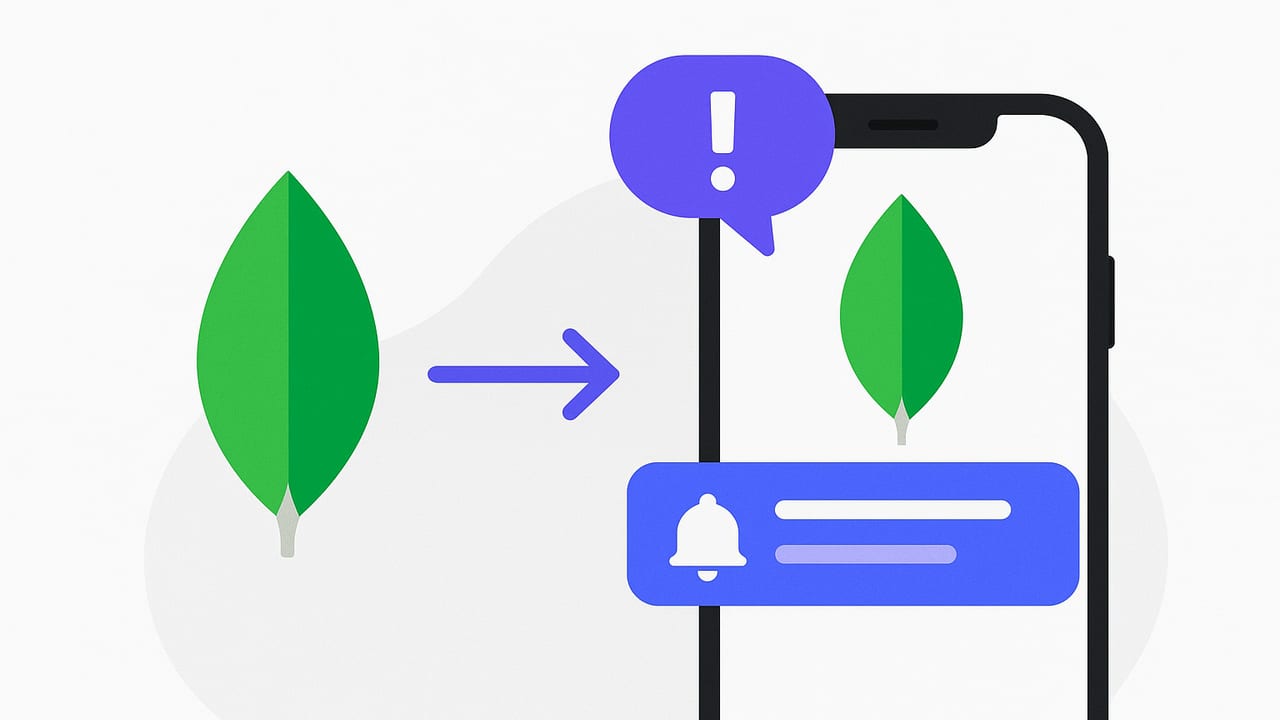
When your app depends on fresh data, waiting for users to open it isn’t enough. You need timely alerts that surface important changes the moment they happen. In this guide, you’ll learn actionable ways to deliver MongoDB data change notifications on iPhone using production-ready patterns: Change Streams, Atlas Triggers, Realm, and a lightweight polling fallback. We’ll cover architecture, sample code, and iOS constraints so you can ship reliable, secure notifications without guesswork.
Core Approaches to Notify iOS on MongoDB Changes
There are four common strategies to bridge MongoDB changes to an iPhone:
- Change Streams + APNs: A backend watches MongoDB changes, filters what matters, and sends Apple Push Notifications (APNs) to devices.
- Atlas Triggers + Webhooks: MongoDB Atlas invokes server-side functions on data changes, which in turn call your notification service (or APNs gateway).
- Realm Sync: Keep a local database synced on the device; update the UI immediately and optionally supplement with push notifications.
- Polling: The iOS app periodically checks an API for updates. It’s simple but less real-time and constrained by iOS background limits.
| Option | Latency | Complexity | Best For | Notes |
|---|---|---|---|---|
| Change Streams + APNs | Low (near real-time) | Medium | Production alerts, precise filters | Requires replica set/Atlas; robust filtering; resume tokens handle outages |
| Atlas Triggers + Webhooks | Low | Low to Medium | Serverless teams, rapid setup | Great for lightweight logic; integrate with an APNs microservice |
| Realm Sync | Low for synced data | Medium | Local-first apps, offline-first UX | Use silent pushes to nudge background sync if needed |
| Polling | Medium to High | Low | Internal dashboards, non-urgent updates | Constrained by iOS background execution; not true “push” |
Architecture: MongoDB Change Streams with APNs
Why this pattern? It’s the most flexible way to deliver mongodb data change notifications on iphone. You get server-side filtering, aggregation, and resilience via resume tokens, plus all the benefits of APNs (delivery at scale, user control, notification types).
High-Level Flow
- Backend watcher connects to MongoDB and opens a Change Stream on a collection, database, or entire cluster.
- When a relevant change occurs, your backend filters, enriches the event, and sends an APNs push to the target device(s).
- The iOS app registers for remote notifications to get a device token and shares it with your backend, then handles the push to update the UI.
Node.js Example: Watch a Collection and Send APNs
The snippet below watches updates to an orders collection and sends a push when an order’s status becomes shipped. It uses MongoDB’s Node.js driver and APNs via HTTP/2.
import { MongoClient } from 'mongodb';
import http2 from 'http2';
import fs from 'fs';

const mongoUri = process.env.MONGODB_URI; // must be a replica set or Atlas cluster
const apnsKey = fs.readFileSync('./AuthKey_ABC12345.p8');
const apnsKeyId = process.env.APNS_KEY_ID;    // from Apple Developer portal
const apnsTeamId = process.env.APNS_TEAM_ID;  // Apple Developer Team ID
const apnsBundleId = 'com.example.myapp';
const apnsHost = 'https://api.push.apple.com'; // use sandbox for dev

// Create APNs HTTP/2 client
function sendAPNs(deviceToken, payload, pushType = 'alert') {
  return new Promise((resolve, reject) => {
    const client = http2.connect(apnsHost);

    const headers = {
      ':method': 'POST',
      ':path': `/3/device/${deviceToken}`,
      'apns-topic': apnsBundleId,
      'apns-push-type': pushType,
      // Use a JWT-based token for APNs
      'authorization': `bearer ${createApnsJwt(apnsKey, apnsKeyId, apnsTeamId)}`
    };

    const request = client.request(headers);
    request.setEncoding('utf8');

    request.on('response', (headers) => {
      // inspect status, reason, etc.
    });

    request.on('data', (chunk) => {
      // log APNs response if needed
    });

    request.on('end', () => {
      client.close();
      resolve();
    });

    request.on('error', (err) => {
      client.close();
      reject(err);
    });

    request.end(JSON.stringify(payload));
  });
}

function createApnsJwt(key, keyId, teamId) {
  // Implement ES256 JWT signing for APNs token auth.
  // Libraries like jsonwebtoken can help. Token valid for ~20 minutes.
  return 'eyJhbGciOi...';
}

(async () => {
  const client = new MongoClient(mongoUri);
  await client.connect();
  const db = client.db('shop');
  const coll = db.collection('orders');

  const pipeline = [
    { $match: { operationType: 'update' } },
    { $addFields: { hasShipped: { $eq: [{ $getField: 'fullDocument.status' }, 'shipped'] } } },
    { $match: { hasShipped: true } }
  ];

  const changeStream = coll.watch(pipeline, { fullDocument: 'updateLookup' });
  for await (const change of changeStream) {
    const order = change.fullDocument;

    // Lookup device tokens for the user (from your users table)
    const deviceTokens = await getUserDeviceTokens(order.userId);

    const payload = {
      aps: {
        alert: {
          title: 'Order Shipped',
          body: `Order #${order._id} is on the way!`
        },
        sound: 'default'
      },
      orderId: String(order._id)
    };

    await Promise.all(deviceTokens.map(t => sendAPNs(t, payload, 'alert')));

    // Persist resume token (change._id) for recovery if the process restarts
    await saveResumeToken(change._id);
  }
})();
Notes:
- Require
fullDocument: 'updateLookup'when you need the complete document after updates. - Store resume tokens (
change._id) so you can resume the stream after restarts or network hiccups. - Use apns-push-type header correctly:
alertfor visible notifications,backgroundfor silent pushes.
iOS: Register for Push and Handle Notifications
Your iOS app must request notification permissions, register with APNs, and send the device token to your backend.
import UIKit
import UserNotifications

@main
class AppDelegate: UIResponder, UIApplicationDelegate, UNUserNotificationCenterDelegate {
  func application(_ application: UIApplication, didFinishLaunchingWithOptions launchOptions: [UIApplication.LaunchOptionsKey: Any]?) -> Bool {
    UNUserNotificationCenter.current().delegate = self
    UNUserNotificationCenter.current().requestAuthorization(options: [.alert, .badge, .sound]) { granted, error in
      if granted {
        DispatchQueue.main.async { UIApplication.shared.registerForRemoteNotifications() }
      }
    }
    return true
  }

  func application(_ application: UIApplication, didRegisterForRemoteNotificationsWithDeviceToken deviceToken: Data) {
    let token = deviceToken.map { String(format: "%02.2hhx", $0) }.joined()
    // POST token to your backend for APNs targeting
    uploadDeviceToken(token)
  }

  // Foreground handling
  func userNotificationCenter(_ center: UNUserNotificationCenter, willPresent notification: UNNotification, withCompletionHandler completionHandler: @escaping (UNNotificationPresentationOptions) -> Void) {
    completionHandler([.banner, .sound])
  }
}
For silent notifications (to fetch data in the background without alerting the user), send an APNs payload like:
{
  "aps": { "content-available": 1 },
  "reason": "orders_shipped",
  "orderId": "..."
}
Ensure you set HTTP/2 headers apns-push-type: background and apns-priority: 5. In your app, handle the background fetch in application(_:didReceiveRemoteNotification:fetchCompletionHandler:) and refresh the relevant data.
Fine-Grained Filtering with Change Streams
Change Streams support sophisticated pipelines. A few practical examples:
- Only updates to a field: Match using
updateDescription.updatedFieldsto avoid noise. - Threshold alerts: Filter inventory drops below a value and include context in the push.
- Per-user routing: Store
userIdon documents and map to device tokens server-side.
const pipeline = [
  { $match: { operationType: 'update', 'updateDescription.updatedFields.status': 'shipped' } },
  { $project: { documentKey: 1 } }
];
You can also watch an entire database or a sharded cluster; constrain the stream with $match stages to keep costs and noise low.
Using MongoDB Atlas Triggers (Serverless)
Atlas Triggers let you execute MongoDB Functions on inserts, updates, or deletes—no always-on server needed. A typical setup:
- Create a Database Trigger on the target collection with an
INSERT/UPDATEevent. - In the triggered function, call a webhook of your notification service with the minimal data required.
- That service sends APNs to the device tokens for the affected users.
// Atlas Function (JavaScript)
exports = async function(changeEvent) {
  const fullDoc = changeEvent.fullDocument;
  if (fullDoc.status !== 'shipped') return;

  const body = {
    userId: fullDoc.userId,
    orderId: fullDoc._id.toString(),
    title: 'Order Shipped',
    body: `Order #${fullDoc._id} is on the way!`
  };

  // POST to your APNs microservice
  const resp = await context.http.post({
    url: 'https://notify.example.com/apns',
    body: JSON.stringify(body),
    headers: { 'Content-Type': ['application/json'] }
  });
};
This pattern reduces infrastructure overhead and scales with Atlas. Use retries and dead-letter handling in your notification service to improve reliability.
Realm Sync for Local-First Experiences
If your iOS app uses Realm (MongoDB’s mobile database), you can sync objects from Atlas so the device reflects changes almost instantly when online. This isn’t a push notification by itself, but you can:
- Update UI reactively as synced objects change.
- Trigger a local notification when a subscribed object transitions to a notable state.
- Combine with silent APNs to nudge background sync.
Polling: Simple but Limited
Polling can work for non-urgent updates or internal tools. On iOS, schedule background refreshes with BGAppRefreshTask. Keep in mind that the system controls when tasks run based on user behavior and power constraints.
import BackgroundTasks

BGTaskScheduler.shared.register(forTaskWithIdentifier: "com.example.refresh", using: nil) { task in
  fetchUpdates { result in
    task.setTaskCompleted(success: result)
    scheduleNext()
  }
}

func scheduleNext() {
  let req = BGAppRefreshTaskRequest(identifier: "com.example.refresh")
  req.earliestBeginDate = Date(timeIntervalSinceNow: 30 * 60) // best-effort
  try? BGTaskScheduler.shared.submit(req)
}
Use ETags or since cursors to minimize data transfer, and avoid polling sensitive collections directly from the device.
Security, Privacy, and Compliance
- Least privilege: The watcher service should use read-only roles where possible. Avoid exposing MongoDB directly to the device.
- Minimal payloads: Don’t include PII in pushes. Use opaque IDs and fetch details in-app.
- Token hygiene: Map device tokens to authenticated users; rotate and prune invalid tokens (handle APNs feedback).
- Idempotency: Deduplicate by change stream resume tokens or event IDs to avoid duplicate notifications.
- Rate limiting and batching: Collapse multiple rapid changes into a single digest when appropriate.
- Observability: Log push attempts and outcomes; export metrics (success rate, latency, drop reasons) to your monitoring stack.
Reliability Tips and Common Pitfalls
- Handle backpressure: If your stream outpaces APNs sends, buffer with a queue (e.g., SQS, Pub/Sub) and a worker pool.
- Use content-available wisely: Silent pushes are not guaranteed. Combine with periodic background tasks for resilience.
- Respect user settings: Honor iOS Focus modes and in-app preferences (e.g., categories and notification types).
- Shard-aware filters: In large deployments, filter at the stream level to avoid cross-shard fan-out.
- Multi-env separation: Use APNs sandbox for dev/testing; never mix tokens between sandbox and production.
Example Scenario: Low Inventory Alerts
Suppose you need to notify managers when inventory drops below 10 units.
- Create an index on
{ productId: 1 }and storeonHandin each inventory document. - Open a change stream with a pipeline that matches relevant updates:
const pipeline = [
  { $match: { operationType: 'update' } },
  { $addFields: { newQty: { $getField: 'fullDocument.onHand' } } },
  { $match: { newQty: { $lt: 10 } } },
  { $project: { productId: '$fullDocument.productId', onHand: '$fullDocument.onHand' } }
];
- For each event, route to the appropriate manager’s device tokens and send a push with a terse message and a deep link to the inventory screen.
- Include a button action (via notification categories) to acknowledge or snooze.
Choosing the Right Approach
If you want maximum control and reliability, implement Change Streams + APNs. If you prefer serverless, Atlas Triggers can get you 80% of the way quickly. For apps already using local-first patterns, Realm Sync provides instantaneous UI updates, with optional pushes for visibility. Polling is acceptable for non-urgent scenarios, but recognize its background limitations on iOS.
Start with a narrow, high-value alert, measure delivery success and user engagement, and iterate on filters and payloads before expanding coverage.
Checklist: From Prototype to Production
- Define clear notification rules and map them to change stream filters.
- Capture and persist resume tokens; simulate outages to validate recovery.
- Implement per-user rate limiting and batch coalescing.
- Add category IDs for actionable notifications on iOS.
- Instrument metrics: end-to-end latency from DB change to device receipt.
- Run load tests using synthetic change events to validate throughput.
With these patterns and examples, you can confidently deliver MongoDB data change notifications on iPhone that are fast, secure, and respectful of user experience.
Note: If you’d rather not build the pipeline yourself, tools like Query Alert let you monitor SQL and NoSQL changes with read-only queries and push/email notifications on iOS, which can be a helpful shortcut for prototypes or small teams.