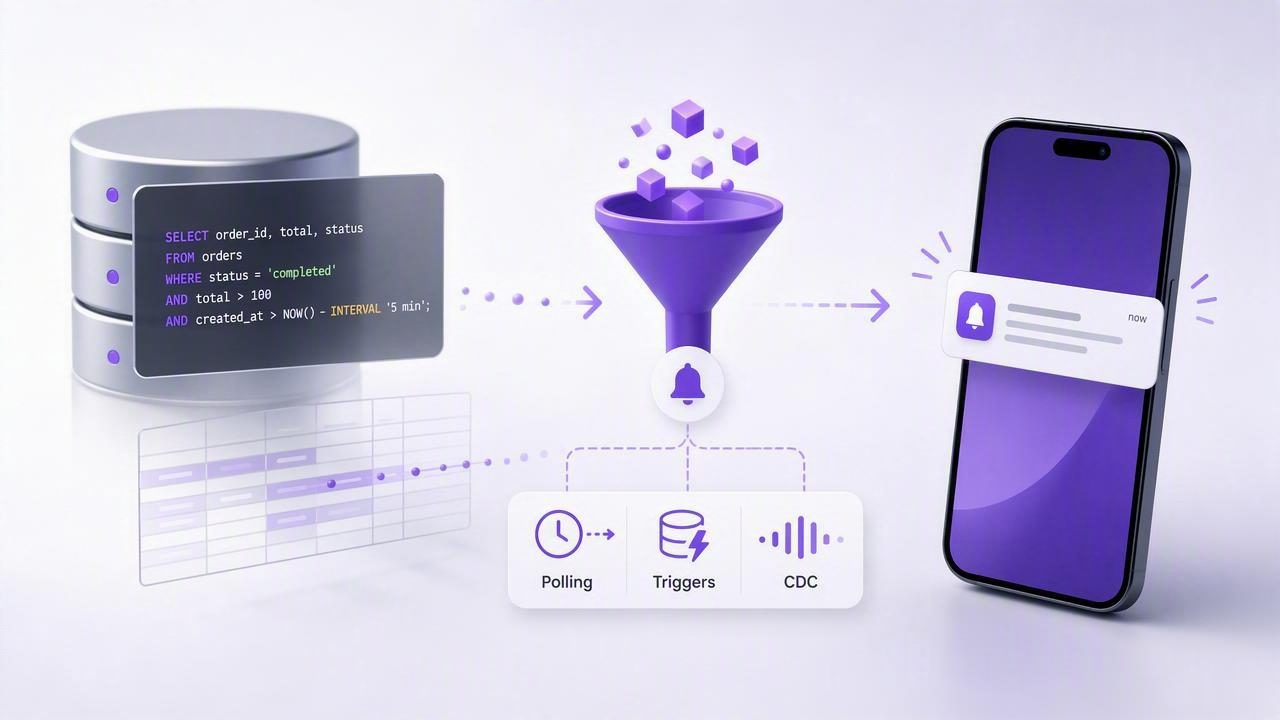
Teams often discover problems in their database after users complain: a payment stuck in “pending,” an orders backlog growing, a replication lag spike, or a sudden dip in sign-ups. Traditional infrastructure monitoring helps, but many business-critical issues are only visible in the data itself. That’s why engineers and analysts increasingly want to get push notifications from SQL queries—alerts driven by the same queries they already trust for reporting and debugging.
This guide explains practical architectures and query patterns for turning SQL results into actionable push notifications, while avoiding the biggest failure mode: alert spam.
What it means to “get push notifications from SQL queries”
At a high level, you:
- Run a SQL query on a schedule or in response to changes.
- Interpret the result as a signal (threshold crossed, row appeared, value changed).
- Apply deduplication and severity rules.
- Send a push notification (and optionally email/Slack/webhook).
The core idea is simple: your database becomes an event source. The tricky part is making alerts reliable, secure, and low-noise.
Three architectures that work
There are three common ways to trigger notifications from database state. The right choice depends on your database, latency needs, and operational constraints.
| Approach | How it works | Pros | Cons | Best for |
|---|---|---|---|---|
| Scheduled polling | Run read-only queries every N seconds/minutes and evaluate conditions. | Simple, DB-agnostic, easy to audit, safe with least privilege. | Not instant; needs dedup logic; can add query load. | Most “data changed” and “count exceeded” alerts. |
| Triggers / notifications | DB triggers write to an “events” table or publish notifications (e.g., Postgres NOTIFY). | Near real-time; less frequent querying. | Harder to maintain; risk of affecting write performance; permissions complexity. | Critical row-level events (fraud flags, high-value orders). |
| CDC (Change Data Capture) | Stream changes from WAL/binlog into a consumer that evaluates rules. | Scales well; very low latency; broad coverage. | More moving parts; needs streaming infra and careful ops. | Large systems needing many alerts at scale. |
Rule of thumb
If you’re starting out, choose scheduled polling with read-only queries. Add triggers or CDC only when you’ve proven you need lower latency or higher scale.
A practical polling workflow (the default choice)
Polling is often the fastest path to “alerts that ship.” Here’s a reliable workflow used in many production systems:
- Write a query that returns a small, stable output (a count, a max timestamp, a status breakdown).
- Decide the condition that should alert (e.g., count > 0, ratio drops below X, age exceeds Y).
- Store state for deduplication (last seen ID, last alert time, last value).
- Rate-limit and group notifications (avoid one push per row).
- Send push via APNs (iOS), FCM, or your provider’s API.
SQL query patterns that produce actionable alerts
The best alert queries are:
- Small: return a few rows or a single value.
- Deterministic: same inputs produce same output.
- Indexed: avoid full scans during peak traffic.
- Unambiguous: clearly indicates whether action is needed.
Pattern 1: “Something is stuck” (age-based SLA breach)
Example: orders pending longer than 10 minutes.
SELECT COUNT(*) AS stuck_orders
FROM orders
WHERE status = 'pending'
  AND created_at < NOW() - INTERVAL '10 minutes';
Alert condition: stuck_orders > 0
Noise control: only notify on transitions from 0 → >0, then remind every X minutes until resolved.
Pattern 2: “New high-priority row appeared” (incremental detection)
Example: new failed payments since last check. Store last_seen_id (or timestamp) in your alert state store.
SELECT id, user_id, amount_cents, created_at
FROM payments
WHERE status = 'failed'
  AND id > :last_seen_id
ORDER BY id ASC
LIMIT 50;
Alert condition: at least one row returned.
Noise control: group rows into one notification (e.g., “7 new failed payments”) and include a link to a dashboard.
Pattern 3: “Ratio changed” (health signals from business metrics)
Example: error rate in the last 5 minutes.
SELECT
  SUM(CASE WHEN status >= 500 THEN 1 ELSE 0 END)::float / NULLIF(COUNT(*), 0) AS error_rate
FROM api_requests
WHERE created_at > NOW() - INTERVAL '5 minutes';
Alert condition: error_rate > 0.02 (2%).
Noise control: require 2–3 consecutive violations before notifying (“debounce”).
Pattern 4: “Value changed” (track a single number)
Example: inventory for a SKU drops below a threshold. Track the last value; alert only when crossing boundaries.
SELECT on_hand
FROM inventory
WHERE sku = :sku;
Alert condition: crossing from >= 10 to < 10, not every poll where it remains < 10.
Deduplication: the difference between signal and spam
Most alert fatigue comes from missing state. Your alert evaluator should persist at least one of these:
- Last notified time (rate limiting / cooldown).
- Last seen cursor (ID or timestamp for incremental queries).
- Last evaluated value (for boundary-crossing alerts).
- Open/closed status (incident-style alerts that resolve).
Here’s a simple, effective incident-style model:
- Open the alert when the condition becomes true.
- Suppress repeats while it stays true (or send reminders on a schedule).
- Resolve when the condition becomes false, optionally sending a recovery push.
Scheduling and reliability considerations
When your alerts depend on scheduled checks, reliability becomes a product feature. A few practices help immediately:
1) Choose intervals based on “time-to-harm”
- Fraud/high-value transactions: 30–60 seconds (or triggers/CDC).
- Operational SLAs (stuck jobs, backlog): 1–5 minutes.
- Trend metrics (conversion, churn signals): 15–60 minutes.
2) Add jitter to avoid thundering herds
If many checks run at the same time, you’ll create load spikes. Add random delay (a few seconds) to each run.
3) Use timeouts and query budgets
Set a max runtime per query and alert on the monitoring system itself (e.g., “query timed out 3 times”). Long-running alert queries are a hidden reliability risk.
Security: least privilege and safe connectivity
Turning SQL queries into push notifications often means connecting to production data. Keep the surface area small:
- Use a read-only database user scoped to only the needed schemas/tables.
- Enforce TLS for database connections; validate certificates where possible.
- Prefer parameterized queries and avoid building SQL strings dynamically.
- Limit returned data: alert on aggregates and identifiers, not sensitive fields.
- Audit access: log executed queries and when alerts were sent.
Sending push notifications: what your system needs
The database side tells you when something happened; push infrastructure determines how users get notified.
Minimum components
- Device token registry (which user/device should receive alerts).
- Notification formatter (title/body, severity, deep link).
- Push provider integration (APNs for iOS; optionally email as fallback).
- Delivery tracking (success/failure, token invalidation).
Example pseudo-logic for evaluating a query and notifying
// Pseudocode
result = runQuery(sql, params)
state  = loadState(alertId)

if conditionMet(result) and !state.isOpen:
  sendPush(title, body)
  state.isOpen = true
  state.openedAt = now()

if !conditionMet(result) and state.isOpen:
  sendPush("Resolved", "Back to normal")
  state.isOpen = false

state.lastRunAt = now()
saveState(state)
Testing: prove your alert works before it matters
To validate an alert end-to-end:
- Unit test the condition logic (thresholds, boundary crossing, debounce).
- Replay known scenarios by running the query against a staging snapshot.
- Load test the query plan (indexes, expected row counts).
- Run a “silent mode” for a week (log when you would have notified).
- Only then enable push notifications for production recipients.
Common pitfalls (and how to avoid them)
- Alerting on raw rows: send one push per incident, not per record. Aggregate and summarize.
- No dedup state: always track last notified time/cursor/value.
- Unindexed filters: add indexes for
created_at, status fields, and join keys used by alerts. - Too much sensitivity: add hysteresis (different trigger and recovery thresholds) for noisy metrics.
- Over-permissioned users: read-only access and narrow grants reduce risk dramatically.
Putting it together: a checklist for your first SQL-to-push alert
- Query returns a single number or a small list (bounded with
LIMIT). - Condition is explicit and measurable (threshold, age, ratio, existence).
- State is stored to prevent duplicates (open/closed + cursor/value).
- Schedule matches time-to-harm; runs with jitter and timeouts.
- DB user is read-only, uses TLS, and queries are parameterized.
- Notification groups details and links to the next action.
If you want an iOS-first way to run read-only SQL/NoSQL checks on a schedule and turn them into push notifications with minimal setup, tools like Query Alert are designed around that workflow.