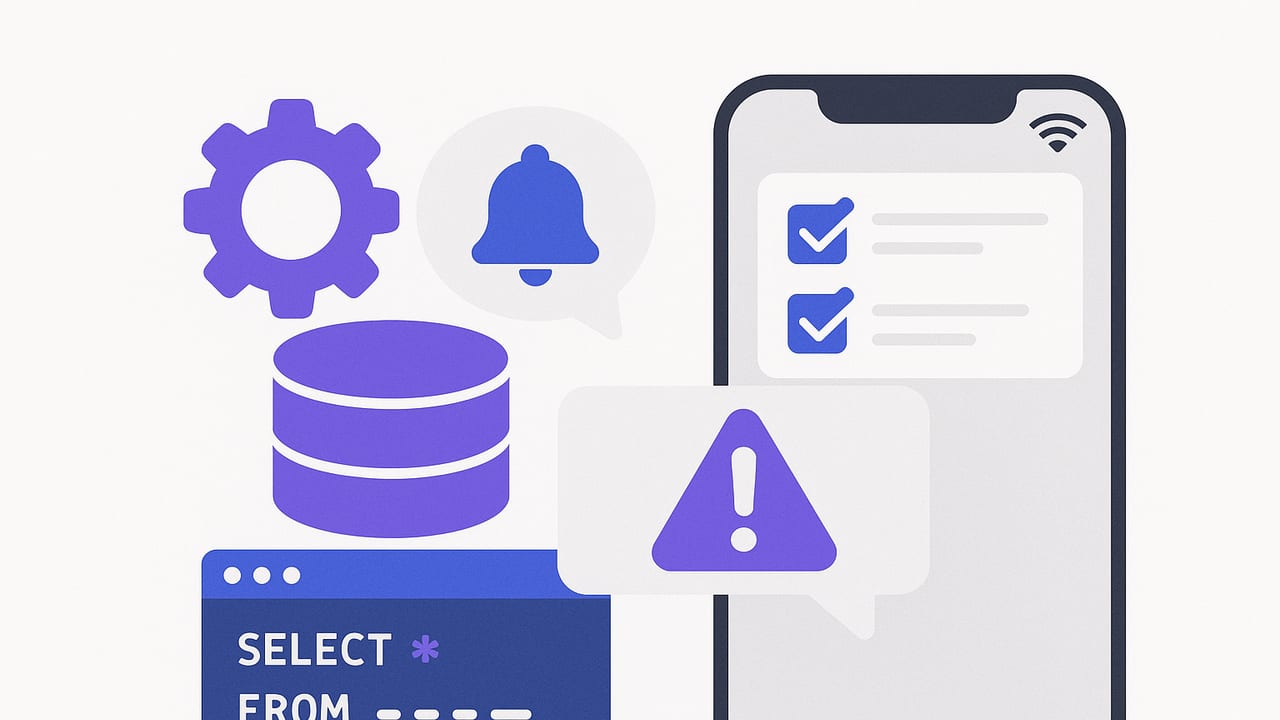
iOS database alerts help teams react to critical data changes the moment they matter. Whether you monitor high-value orders, suspicious logins, or failing jobs, the goal is the same: detect meaningful changes in your data stores and deliver timely notifications to your iPhone. This guide explains how to design ios database alerts that are fast, secure, and low-noise, across PostgreSQL, MySQL, and MongoDB.
What “iOS database alerts” really means
At a high level, ios database alerts are notifications delivered to an iPhone when a database event or condition occurs. While the iOS device is the user-facing endpoint, most of the detection work happens elsewhere:
- Server-side jobs poll or subscribe to the database.
- Event-driven pipelines (CDC, triggers, change streams) emit events.
- A notification service formats and delivers push notifications or emails to iOS.
On-device polling alone is rarely reliable due to background execution limits and battery concerns. The most robust designs push alerts to iOS after detection on a server, or via an alerting service that connects to your databases.
Rule of thumb: Detect events close to the data, then push minimal, actionable context to iOS.
Architectures for iOS database alerts
Picking the right architecture balances latency, complexity, and cost. The main approaches:
| Technique | Databases | Pros | Cons | Latency |
|---|---|---|---|---|
| Scheduled polling (queries) | PostgreSQL, MySQL, MongoDB | Simple, predictable, easy to reason about | Polling load, can miss fast blips without care | Seconds to minutes |
| CDC (Change Data Capture) | PostgreSQL, MySQL (Debezium, native logical decoding) | Near real-time, durable event stream | Setup complexity, infra ops overhead | Sub-second to seconds |
| Database triggers + queue | PostgreSQL, MySQL | Immediate detection, fine-grained | Couples app and alerting, risk of noisy triggers | Sub-second |
| MongoDB Change Streams | MongoDB (replica set/cluster) | Native event feed, scalable | Cluster requirements, stream management | Sub-second to seconds |
For teams starting out, scheduled polling with well-written read-only queries is a pragmatic baseline. As volume or latency needs grow, graduate to CDC or change streams.
Designing alert queries that scale
Good alerting queries are incremental, selective, and safe. Three patterns cover most use cases:
1) Delta queries with a watermark
Store the last processed timestamp or ID and fetch only new rows since then. Works well when you have a reliable updated_at or monotonic ID.
-- PostgreSQL example: new high-value orders since last watermark
WITH watermark AS (
  SELECT last_seen_at FROM alert_state WHERE key = 'orders_high_value'
)
SELECT id, user_id, total_cents, created_at
FROM orders, watermark
WHERE created_at > watermark.last_seen_at
  AND status = 'confirmed'
  AND total_cents >= 50000
ORDER BY created_at ASC
LIMIT 500;
After processing, update the watermark to the latest created_at. This approach is fast if created_at and filter columns are indexed.
2) Sliding-window queries
Compute conditions over a recent time window (e.g., last 15 minutes), then deduplicate alerts on the notifier side to avoid repeats.
-- MySQL example: error rate over last 15 minutes
SELECT
  SUM(event_type = 'error') / NULLIF(COUNT(*), 0) AS error_ratio
FROM logs
WHERE event_time > NOW() - INTERVAL 15 MINUTE;
If error_ratio exceeds a threshold (e.g., 0.05), send a single alert and set a cooldown period to reduce noise.
3) Hash-based change detection
For complex rows where any field change matters, compute a stable hash and detect differences without scanning entire tables.
-- PostgreSQL: detect changes using a hash
SELECT id, md5(row_to_json(t)::text) AS row_hash
FROM (SELECT id, status, amount, currency, updated_at FROM payouts) t
WHERE updated_at > NOW() - INTERVAL '10 minutes';
Store hashes in an alert state table and alert only on new hashes per ID.
MongoDB: change streams and query fallback
If your MongoDB cluster supports change streams, you can subscribe to specific collections:
// Node.js: watch new VIP orders
const pipeline = [
  { $match: { 'operationType': 'insert', 'fullDocument.totalCents': { $gte: 50000 } } }
];
const changeStream = db.collection('orders').watch(pipeline);
changeStream.on('change', event => {
  // Format and send an iOS push notification
});
When change streams aren’t available, use indexed updatedAt fields and windowed queries with a watermark in an external store (e.g., Redis or a small state table).
How iOS database alerts are delivered
Once you detect an event, you need to notify users on iPhone. Common channels:
- Push notifications (APNs): Low-latency, foreground/background delivery, deep-link into relevant screens.
- Email: Durable, searchable, good for summaries or non-urgent alerts.
- In-app inbox: For history and collaboration, often paired with push.
| Channel | Best for | Pros | Trade-offs |
|---|---|---|---|
| Push | Urgent, actionable events | Fast, rich, actionable | Requires APNs setup and tokens |
| Reports, non-urgent updates | Durable, easy sharing | Slower, inbox fatigue | |
| In-app | Audit trails, context | Organized history | Requires app open to see |
For reliability, send a concise push with a deep link and include a link to a richer email or in-app detail view.
Scheduling, rate limits, and noise reduction
Polling-based alerts need careful scheduling to avoid load spikes and duplicate notifications.
- Cadence: Start at 1–5 minutes. Increase frequency only where latency truly matters.
- Staggered schedules: Offset jobs to avoid thundering herds at the top of the minute.
- Cooldowns: After firing, suppress duplicates for a period (e.g., 10–30 minutes) unless severity escalates.
- Quiet hours: Respect user schedules; downgrade to email overnight.
- Batching: Group multiple similar events into one alert with a count and top examples.
On iOS, background execution is limited. Prefer server-side schedules; the iPhone acts as the secure notification endpoint.
Security and least-privilege access
Alerting often runs continuously and touches production data—treat it like a first-class security surface.
- Read-only users: Create dedicated DB roles without write permissions, DDL, or superuser capabilities.
- Network encryption: Enforce TLS to databases and notification services. Validate server certificates.
- Scoped IP allowlists: Restrict DB access to known egress IPs.
- Parameterization: Avoid string concatenation; use prepared statements to prevent injection.
- Row-Level Security (RLS): In Postgres, restrict access to only necessary rows.
- Performance safety: Require query timeouts and statement limits; index predicates used by alerts.
- Secret management: Store credentials in a vault; rotate regularly. Never embed secrets in client apps.
Three practical alert examples
1) Postgres: high-value order created
-- Requires indexes on status, created_at, total_cents
WITH watermark AS (
  SELECT COALESCE(MAX(last_seen_at), 'epoch') AS last_seen
  FROM alert_state
  WHERE key = 'hi_value_orders'
)
SELECT id, user_id, total_cents, created_at
FROM orders, watermark
WHERE status = 'confirmed'
  AND total_cents >= 50000
  AND created_at > watermark.last_seen
ORDER BY created_at ASC
LIMIT 200;
After sending notifications, set last_seen_at to the newest created_at returned.
2) MySQL: checkout failures spike
-- Aggregate over a sliding window
WITH recent AS (
  SELECT outcome, COUNT(*) AS c
  FROM checkouts
  WHERE created_at > NOW() - INTERVAL 10 MINUTE
  GROUP BY outcome
)
SELECT
  SUM(CASE WHEN outcome = 'failed' THEN c ELSE 0 END) AS failed,
  SUM(c) AS total,
  (SUM(CASE WHEN outcome = 'failed' THEN c ELSE 0 END) / SUM(c)) AS failure_rate
FROM recent;
Fire an alert when failure_rate exceeds a threshold and include a few example error codes for context in the push body.
3) MongoDB: suspicious signups
// Query fallback if not using change streams
const since = new Date(Date.now() - 15 * 60 * 1000);
const cursor = db.collection('users').find({
  createdAt: { $gt: since },
  email: { $regex: /@disposable-mail\.(com|net|org)$/i }
}).project({ _id: 1, email: 1, createdAt: 1 }).sort({ createdAt: 1 });
Batch results into a single alert: “12 suspicious signups in 15m. Top domains: disposable-mail.com (8), disposable-mail.net (4).”
Formatting useful alert payloads
Push and email payloads should be compact, scannable, and actionable. Include severity, count, and a deep link.
{
  "title": "Checkout failures high",
  "body": "7.2% failure rate in last 10m (>3%). Top error: CARD_DECLINED.",
  "severity": "warning",
  "link": "myapp://alerts/checkout-failures",
  "dedupeKey": "checkout-failures-10m",
  "cooldownSeconds": 1800
}
- dedupeKey: Ensures repeated detections don’t flood the user.
- cooldownSeconds: Suggests a minimum interval before re-alerting.
- link: Deep-links into the relevant screen to take action.
Troubleshooting slow or noisy alerts
- Query latency high? Add indexes for predicates and sort keys; reduce projection columns; limit result set; use covering indexes.
- Missing events? Switch to delta queries with a durable watermark; avoid clock skew; don’t rely on
NOW()alone. - Too many alerts? Add cooldowns, threshold hysteresis (require rate to drop below a lower bound before clearing), and batch multiple events.
- Duplicate pushes? Use idempotency via
dedupeKeyand store sent-event IDs for a retention period. - iOS delivery issues? Verify APNs tokens, device permissions, notification categories, and quiet-time rules.
Performance and cost tips
- Prefer narrow scans: Use selective predicates and incremental processing.
- Summarize upstream: Materialized views or rollups reduce per-alert workload.
- Backoff under load: Dynamic schedules that slow when databases are hot.
- Shard alerting: For multi-tenant schemas, run per-tenant jobs in parallel with strict quotas.
- Observe: Emit metrics for query duration, rows scanned, rows matched, and alerts sent.
A quick checklist for robust iOS database alerts
- Clear, business-relevant conditions with explicit thresholds
- Read-only, least-privilege DB credentials with TLS
- Incremental queries or event streams with durable state
- Sensible schedules, staggering, and cooldowns
- Actionable push payloads with deep links and dedupe keys
- Noise controls: batching, severity, quiet hours
- Monitoring on latency, failures, and notification delivery
Putting it together
The most effective ios database alerts pair solid detection near the data with crisp, low-noise delivery to the iPhone. Start with simple delta queries and push notifications for your top one or two use cases, measure noise and latency, then evolve toward CDC or change streams where needed. Keep permissions tight, payloads actionable, and schedules kind to your database—and you’ll have alerts that inform rather than overwhelm.
If you prefer a ready-made option on iPhone, an app like Query Alert can connect to PostgreSQL, MongoDB, and MySQL, run read-only checks at custom intervals, and deliver push or email notifications securely.