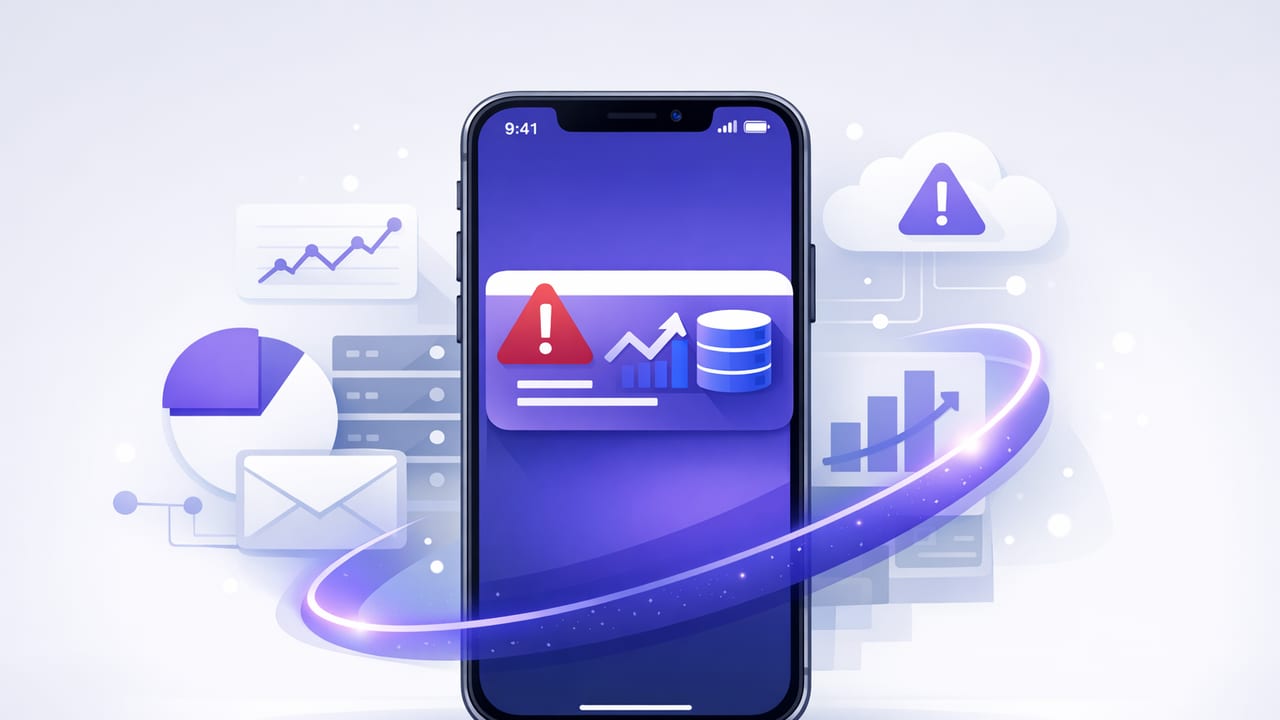
When a key metric shifts—payments start failing, inventory drops below safety stock, error rates spike—you don’t want to discover it during the next dashboard review. You want a reliable signal delivered to the device you already carry. That’s the promise of ios notifications for critical data updates: turning database facts into timely, actionable alerts without drowning your team in noise.
This guide focuses on practical, production-friendly patterns for monitoring SQL and NoSQL data with scheduled checks, safe queries, and iOS-ready notification design. The goal isn’t “alert on everything,” but “alert on what matters” with the right thresholds, context, and safeguards.
What qualifies as a “critical” data update?
A critical update is one that requires a human decision soon enough that delayed awareness causes real cost (lost revenue, customer impact, SLA breach, security risk). Typical categories include:
- Business-critical counts: orders per minute, payment success rate, refunds, chargebacks.
- Operational health: queued jobs, dead letters, failed background tasks.
- Security signals: suspicious logins, privilege changes, API key rotation failures.
- Data integrity: unexpected drops to zero, missing partitions, stale data pipelines.
Rule of thumb: if you’d wake someone up for it, it deserves a high-signal alert; if you’d only note it in a report, it belongs in a dashboard.
Monitoring approaches: polling vs change streams vs eventing
There are three common ways to detect database changes, each with tradeoffs:
- Scheduled polling (queries at intervals): run read-only queries periodically and compare results. Works with most databases and is easy to reason about.
- Change Data Capture (CDC): stream changes from logs (e.g., Postgres logical decoding, Debezium). Very fast and detailed, but adds infrastructure complexity.
- Application eventing: emit events from the app layer (e.g., “payment_failed”). Best context, but can be missed if code paths fail before emitting.
For many teams, scheduled polling is the fastest route to value—especially when you can express “what matters” as a query that produces a single number, a boolean, or a short list of recent anomalies.
Designing alert queries that are safe and meaningful
Good alert queries share a few properties:
- Read-only and constrained: no writes, no locks, no long scans.
- Deterministic output: the query should produce a stable schema and a small result set.
- Clear threshold: the difference between “OK” and “action needed” is explicit.
- Time-bounded: use windows like “last 5 minutes” to avoid comparing unrelated periods.
Pattern 1: Threshold on a rolling window
Example: alert if failed payments exceed 10 in the last 10 minutes.
-- PostgreSQL
SELECT COUNT(*) AS failed_payments
FROM payments
WHERE status = 'failed'
  AND created_at >= NOW() - INTERVAL '10 minutes';
Alert condition: failed_payments >= 10.
Pattern 2: Rate-based thresholds (avoid “busy hour” false positives)
Counts can spike during peak traffic. Consider rates or percentages:
-- PostgreSQL: payment failure rate over last 15 minutes
SELECT
  ROUND(100.0 * SUM(CASE WHEN status='failed' THEN 1 ELSE 0 END) / NULLIF(COUNT(*), 0), 2)
    AS failure_rate_pct,
  COUNT(*) AS total_attempts
FROM payments
WHERE created_at >= NOW() - INTERVAL '15 minutes';
Alert condition: failure_rate_pct >= 3.0 AND total_attempts >= 200 (add a minimum volume gate to avoid tiny-sample noise).
Pattern 3: “Drop to zero” and unexpected deltas
Some of the most valuable alerts are simple: “this went to zero and should never be zero.” For example, orders in last hour:
-- MySQL
SELECT COUNT(*) AS orders_last_hour
FROM orders
WHERE created_at >= NOW() - INTERVAL 1 HOUR;
Alert condition: orders_last_hour = 0 (often with a business-hours schedule).
Pattern 4: Outlier detection with a baseline
When “normal” varies by weekday or time, compare against a baseline period:
-- PostgreSQL: compare last 30 minutes to same window yesterday
WITH recent AS (
  SELECT COUNT(*) AS c
  FROM api_errors
  WHERE created_at >= NOW() - INTERVAL '30 minutes'
), baseline AS (
  SELECT COUNT(*) AS c
  FROM api_errors
  WHERE created_at >= (NOW() - INTERVAL '1 day') - INTERVAL '30 minutes'
    AND created_at <  (NOW() - INTERVAL '1 day')
)
SELECT
  recent.c AS recent_errors,
  baseline.c AS baseline_errors,
  CASE WHEN baseline.c = 0 THEN NULL
       ELSE ROUND(1.0 * recent.c / baseline.c, 2)
  END AS ratio
FROM recent, baseline;
Alert condition: ratio >= 2.0 AND recent_errors >= 50.
Noise control: how to keep iOS alerts actionable
The fastest way to make alerts irrelevant is to send too many of them. iOS surfaces notifications prominently, so every alert should answer: “What changed, how bad is it, and what should I do next?” Use these tactics:
Deduplication and cooldowns
- Cooldown: after firing, don’t fire again for N minutes unless severity increases.
- Stateful alerts: notify on transition (OK → WARN → CRIT), not every check.
- Recovery notifications: optionally send “back to normal” once, to close the loop.
Hysteresis to prevent flapping
Use different thresholds for entering and exiting a state. Example:
- Enter CRIT when failure rate ≥ 3.0%
- Exit CRIT when failure rate ≤ 2.0%
Severity tiers with routing
Not every alert should be a push notification. A useful model:
- INFO: log/Slack digest
- WARN: email or grouped push
- CRIT: immediate push, possibly with escalation
Push vs email for database monitoring (and why many teams use both)
| Channel | Best for | Pros | Risks |
|---|---|---|---|
| iOS Push | Time-sensitive incidents | Fast, attention-grabbing, easy to triage on the go | Can become noisy; depends on device settings and Focus modes |
| Audit trail, details, low urgency | Longer context, searchable, good for summaries | Slow to notice; inbox fatigue |
For ios notifications for critical data updates, push is ideal when the action window is short (minutes, not hours). Email works well as a companion “full context” channel (query output, links, run history).
iOS-specific delivery tips (so alerts land when they matter)
Even the best alert logic fails if the message is hard to parse on a lock screen. Optimize content for quick triage:
- Lead with the metric and severity: “CRIT: Payment failures 4.2% (15m)”
- Add a comparison: “Baseline 1.1% yesterday”
- Include a next step: “Check PSP status + error logs”
- Keep payload small: one or two key numbers; link out for full details
Actionable notifications
If your workflow supports it, include actions such as “Open runbook,” “Acknowledge,” or “Mute 30m.” Even if actions are implemented elsewhere, designing for them forces better alert hygiene.
Respect Focus modes and urgency
Many users run Focus modes (Work, Sleep). If an alert is truly urgent, define which ones qualify for immediate push and keep everything else non-intrusive. This typically requires clear severity definitions and careful routing.
Security fundamentals for query-based monitoring
Database monitoring often needs broad visibility, which can be risky. Keep it safe:
- Use least-privilege credentials: read-only user; restrict to required schemas/tables/views.
- Prefer views for sensitive tables: expose only what’s needed for alert logic.
- Encrypt in transit: TLS for DB connections; validate certificates when possible.
- Store secrets securely: use a secrets manager; rotate credentials regularly.
- Avoid PII in notifications: send counts/IDs, not names/emails; fetch details behind auth.
Reliability: avoiding missed incidents and “phantom” alerts
Scheduled checks introduce timing realities. Mitigate them deliberately:
- Time zones: store timestamps in UTC; display in local time.
- Idempotency: if a check reruns, it shouldn’t create duplicate alerts for the same event.
- Backoff and retries: transient DB/network failures should retry, but not overload the DB.
- Drift awareness: if checks slip (e.g., mobile background limits), use “last run at” and widen windows safely.
Practical examples (SQL + NoSQL) you can adapt
Example A: Low inventory items (top offenders)
Instead of alerting for every SKU, return only the worst items:
-- PostgreSQL
SELECT sku, on_hand, reorder_point
FROM inventory
WHERE on_hand <= reorder_point
ORDER BY (reorder_point - on_hand) DESC
LIMIT 10;
Alert condition: result count > 0. Notification body: “10 SKUs below reorder point. Worst: SKU123 (2/20).”
Example B: Suspicious login burst by IP
-- MySQL
SELECT ip_address, COUNT(*) AS failed_logins
FROM auth_log
WHERE event = 'login_failed'
  AND created_at >= NOW() - INTERVAL 10 MINUTE
GROUP BY ip_address
HAVING COUNT(*) >= 25
ORDER BY failed_logins DESC
LIMIT 5;
Alert condition: any rows. This yields actionable context without sending raw usernames.
Example C: MongoDB anomaly using aggregation
// MongoDB aggregation: count error events by type in last 5 minutes
db.events.aggregate([
  { $match: { level: "error", createdAt: { $gte: new Date(Date.now() - 5 * 60 * 1000) } } },
  { $group: { _id: "$type", count: { $sum: 1 } } },
  { $sort: { count: -1 } },
  { $limit: 5 }
]);
Alert condition: total errors or a specific type crosses a threshold. Notification title example: “CRIT: Error spike (5m)”. Body: “Top: payment_provider_timeout=83”.
A checklist for high-signal mobile alerts
- Does the query run fast and stay read-only?
- Is the alert threshold tied to impact (not curiosity)?
- Are there cooldowns, dedupe, and hysteresis to prevent flapping?
- Does the notification show the metric, window, and comparison?
- Is sensitive data excluded from notification text?
- Is there a runbook link or clear next step?
Putting it together
The best database alerting systems are boring: small queries, clear thresholds, minimal noise, and secure connections. With thoughtful query design and iOS-friendly notification content, you can catch critical changes early without turning your lock screen into a monitoring dashboard.
Gentle note: if you want an iOS-first workflow for turning scheduled SQL/NoSQL queries into smart alerts with push and email, tools like Query Alert are designed around that pattern.