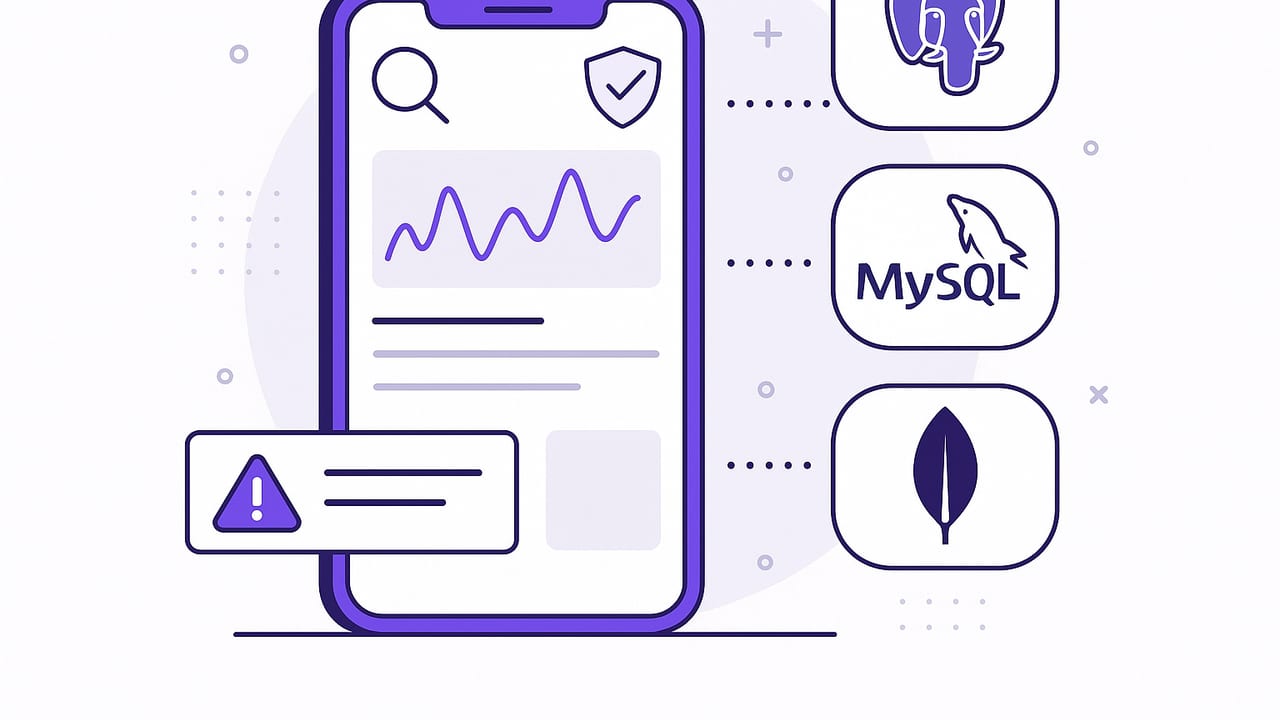
Bringing database awareness to your pocket is no longer a novelty—it’s a productivity multiplier. iPhone query monitoring lets developers, data analysts, and on-call engineers detect meaningful data changes and act immediately, without opening a laptop. Whether you use PostgreSQL, MySQL, or MongoDB, the goal is the same: turn queries into timely, actionable alerts that balance signal and noise.
This guide unpacks the core patterns, tooling, and operational practices behind reliable iPhone query monitoring. You’ll learn how to design efficient alerts, choose the right mechanism (polling vs event-driven), secure connections, and minimize false positives—all with mobile usability in mind.
What Is iPhone Query Monitoring?
iPhone query monitoring is the practice of running database queries (or receiving database change events) and delivering results as mobile notifications or in-app summaries. Typical outcomes include push notifications for critical changes, email digests for daily rollups, and on-demand checks when you need a quick status update.
- Use cases: new high-value orders, inventory thresholds, failed billing attempts, anomalous metrics, VIP customer activity, SLA breaches.
- Targets: PostgreSQL, MySQL, MongoDB, and other SQL/NoSQL systems.
- Delivery: push notifications, email, in-app feeds, and occasionally webhooks to other tools.
Core Patterns for iPhone Query Monitoring
1) Scheduled Query Polling
Polling is the simplest way to start. You run a read-only query on a schedule, compare results to the previous run, and notify when something meaningful changes.
PostgreSQL example: alert when total orders for the current hour exceed a threshold and are growing faster than yesterday:
-- Requires an index on orders(created_at) and orders(amount_cents)
WITH now_window AS (
  SELECT date_trunc('hour', now()) AS win_start
),
current_hour AS (
  SELECT count(*) AS orders, sum(amount_cents) AS revenue
  FROM orders o, now_window w
  WHERE o.created_at >= w.win_start
),
yesterday_hour AS (
  SELECT count(*) AS orders, sum(amount_cents) AS revenue
  FROM orders
  WHERE created_at >= (date_trunc('hour', now()) - interval '24 hours')
    AND created_at <  (date_trunc('hour', now()) - interval '23 hours')
)
SELECT
  c.orders AS current_orders,
  y.orders AS yesterday_orders,
  c.revenue AS current_revenue
FROM current_hour c, yesterday_hour y
WHERE c.orders >= 200
  AND c.orders >= y.orders * 1.25;
Pros:
- Easy to implement and reason about
- Works across SQL and many NoSQL databases
Cons:
- Latency equals your schedule interval
- Can be wasteful if nothing changes
2) Event-Driven Alerts
Event-driven approaches push changes as they happen. They reduce latency and database load, but often require supporting infrastructure.
Common options:
- PostgreSQL LISTEN/NOTIFY: Triggers emit notifications to a channel; a service relays to your iPhone via push.
- MongoDB Change Streams: Opens a stream on a collection or database; filter events and forward alerts.
- MySQL triggers + queue: Triggers write to an alerts table or message queue; a worker processes and pushes notifications.
PostgreSQL example: trigger + NOTIFY on a price drop:
CREATE OR REPLACE FUNCTION product_price_drop_notify() RETURNS trigger AS $$
DECLARE
  payload json;
BEGIN
  IF NEW.price_cents < OLD.price_cents THEN
    payload := json_build_object(
      'product_id', NEW.id,
      'old_price', OLD.price_cents,
      'new_price', NEW.price_cents,
      'dropped_by', OLD.price_cents - NEW.price_cents,
      'at', now()
    );
    PERFORM pg_notify('price_drop', payload::text);
  END IF;
  RETURN NEW;
END;
$$ LANGUAGE plpgsql;

CREATE TRIGGER trg_price_drop
AFTER UPDATE OF price_cents ON products
FOR EACH ROW EXECUTE FUNCTION product_price_drop_notify();
MongoDB example: change stream pipeline for large orders:
// Run in a backend service; forward matches to mobile notifications
const pipeline = [
  { $match: { 'fullDocument.amountCents': { $gte: 50000 } } },
  { $project: { amountCents: '$fullDocument.amountCents', userId: '$fullDocument.userId', createdAt: '$fullDocument.createdAt' } }
];
const cs = db.collection('orders').watch(pipeline);
cs.on('change', (event) => {
  // send push to iPhone
});
Pros:
- Low latency
- Efficient: only react to changes
Cons:
- Requires a relay service (mobile devices can’t maintain long-lived DB streams reliably)
- More moving parts to secure and operate
3) CDC (Change Data Capture)
CDC tools read database logs (e.g., PostgreSQL WAL, MySQL binlog) and publish changes to Kafka or another bus. From there, you can filter, aggregate, and notify.
Pros:
- Minimal impact on primary workloads
- Great for complex aggregation or audit trails
Cons:
- Heavier setup (connectors, topics, consumers)
- Overkill for small projects
Designing Alert Queries That Don’t Wake You Up Needlessly
Alert on symptoms that require action, not on every fluctuation.
To keep iPhone notifications useful, your queries need guardrails.
Thresholds and Hysteresis
Use thresholds to avoid minor blips, and hysteresis to keep alerts from toggling repeatedly.
-- Example: alert when error_rate >= 3% for 5 minutes, clear only below 2%
WITH agg AS (
  SELECT date_trunc('minute', created_at) AS minute,
         sum(is_error::int)::float / count(*) AS error_rate
  FROM api_requests
  WHERE created_at >= now() - interval '10 minutes'
  GROUP BY 1
  ORDER BY 1 DESC
  LIMIT 5
)
SELECT avg(error_rate) AS avg_rate
FROM agg
HAVING avg(error_rate) >= 0.03;
Pair with a separate “clear” condition at 0.02 to prevent flapping.
Deduplication and Grouping
Group similar events and send a single summary rather than dozens of identical pings.
SELECT country, count(*) AS failures
FROM payments
WHERE status = 'FAILED' AND created_at >= now() - interval '15 minutes'
GROUP BY country
HAVING count(*) >= 10
ORDER BY failures DESC;
The notification can include a compact table or top offenders, with a deep link to a dashboard.
Indexes and Query Shape
- Filter on time ranges; keep the window small.
- Ensure covering indexes match predicates and sort order.
- Avoid cross-database joins; compute materialized summaries if necessary.
Security and Connectivity Considerations
Mobile access introduces unique constraints. Follow least-privilege and secure transport practices.
- Read-only roles: Create DB users limited to SELECT on specific schemas/tables. Deny DDL/DML.
- Row-level security (RLS): Restrict visibility to only what alerts need.
- Encrypted transport: Enforce TLS to databases and to any relay services.
- Network boundaries: Prefer private connectivity (VPN, SSH tunnels, bastion) over exposing databases to the internet.
- Secrets handling: Store credentials in the iOS Keychain. Use short-lived tokens or database proxies.
- Audit and rotation: Log access and rotate keys regularly. Consider database-level audit extensions.
Background execution on iOS is limited. Real-time streams typically require a server-side component to receive events and fan out push notifications to your phone. Even with scheduled polling, rely on a backend scheduler for reliability and rate limiting.
Scheduling Strategies That Fit Mobile Life
- Critical vs. routine checks: Run critical checks every 1–5 minutes; routine rollups hourly or daily.
- Quiet hours & escalation: Respect sleep schedules; escalate only if an alert persists or worsens.
- Backoff under load: If a database is hot, reduce frequency temporarily.
- Burst control: Bundle related alerts into digests when many fire at once.
iPhone-First Alert UX
- Actionable notifications: Include quick actions like Acknowledge, Snooze 30m, or Mute Source.
- Compact payloads: Put the most important metric up front. Add links for detail.
- Focus modes: Map alert severity to iOS Focus filters so only critical alerts break through.
- Shortcuts and deep links: Provide links to jump into a dashboard, query results, or run a one-off check.
Database-Specific Examples
PostgreSQL
Indexing for time-window polling:
CREATE INDEX CONCURRENTLY idx_orders_created_at ON orders (created_at);
CREATE INDEX CONCURRENTLY idx_orders_status_created ON orders (status, created_at);
Efficient anomaly detection using percentiles via extensions or approximations (e.g., t-digest stored in a summary table) can keep checks light. For small datasets, window functions are fine:
-- Detect outlier order amounts in the last hour
WITH recent AS (
  SELECT amount_cents,
         percentile_cont(0.95) WITHIN GROUP (ORDER BY amount_cents) OVER () AS p95
  FROM orders
  WHERE created_at >= now() - interval '1 hour'
)
SELECT count(*) AS over_p95
FROM recent
WHERE amount_cents > p95;
MySQL
Use generated columns and covering indexes to speed up filters:
ALTER TABLE payments
  ADD COLUMN is_failed TINYINT(1) AS (status = 'FAILED') STORED,
  ADD INDEX idx_failed_created (is_failed, created_at);
Scheduled check for a surge in failures:
SELECT COUNT(*) AS failures_5m
FROM payments
WHERE is_failed = 1
  AND created_at >= NOW() - INTERVAL 5 MINUTE;
MongoDB
Use efficient queries with indexed fields and small windows:
// Ensure indexes
db.orders.createIndex({ createdAt: -1 });
db.orders.createIndex({ status: 1, createdAt: -1 });

// Poll for high-value orders in last 10 minutes
db.orders.aggregate([
  { $match: { createdAt: { $gte: new Date(Date.now() - 10*60*1000) }, amountCents: { $gte: 100000 } } },
  { $group: { _id: null, count: { $sum: 1 }, total: { $sum: '$amountCents' } } }
]);
For real-time, prefer Change Streams via a backend service that forwards to push notifications rather than keeping the stream open on the device.
Approach Comparison
| Approach | How It Works | Latency | DB Load | Complexity | Mobile Fit |
|---|---|---|---|---|---|
| Scheduled polling | Run a query at intervals; diff results | Minutes | Low–Medium | Low | Good for most checks |
| Event-driven (triggers/streams) | Push on change via NOTIFY/streams | Seconds | Low | Medium | Needs server relay |
| CDC | Read logs; publish to bus; filter | Seconds–Minutes | Very Low | High | Great at scale |
Troubleshooting Checklist
- No notifications? Verify the query returns rows; run it manually. Check push service logs and device permissions.
- Slow queries? Add or adjust indexes, reduce time windows, and avoid SELECT *. Use EXPLAIN/EXPLAIN ANALYZE.
- Too many alerts? Raise thresholds, add hysteresis, group by dimensions, or switch to digest emails.
- Duplicates? Keep a server-side dedupe key (e.g., hash of result signature and time bucket).
- Security warnings? Confirm TLS, rotate credentials, and restrict network exposure.
Putting It All Together
- Define outcomes: What actions will you take on an alert? If there’s no action, don’t alert.
- Pick a delivery mode: Push for urgent items, email for summaries, in-app feed for review.
- Choose a pattern: Start with polling. Add event-driven for critical paths. Consider CDC when scale grows.
- Harden queries: Right-size windows, add indexes, group results, and dedupe.
- Secure access: Read-only roles, RLS, TLS, private networking, and auditable credentials.
- Iterate: Tune thresholds and schedules based on real alert outcomes.
Done well, iPhone query monitoring becomes a calm, reliable signal that helps you respond quickly without drowning in noise. Start small, instrument the most valuable datapoints, and evolve the system as your team and data grow.
If you prefer an iOS-native experience that connects to PostgreSQL, MySQL, and MongoDB, schedules checks, and delivers push or email notifications with encrypted, read-only access, consider trying Query Alert.