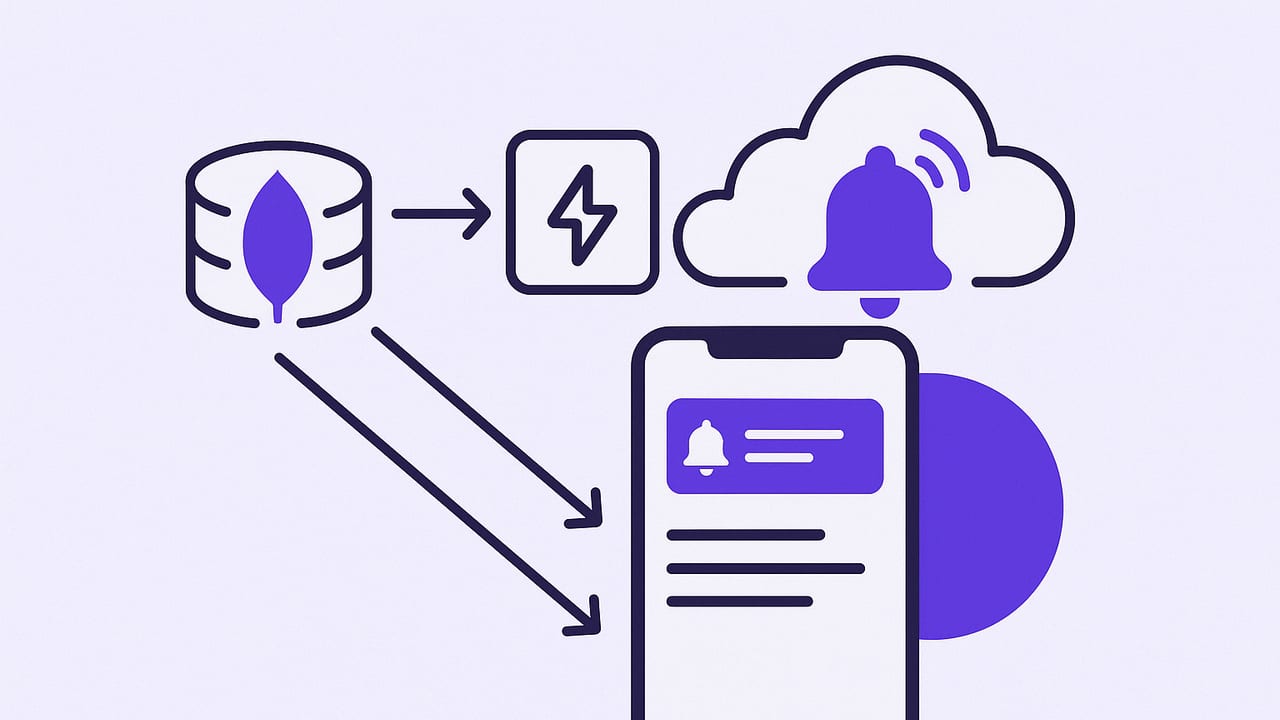
If you’re searching for “mongodb alerting ios,” you’re likely trying to get reliable, low-latency mobile notifications when your MongoDB data changes. This guide walks through practical architectures for iOS-friendly alerting, when to use MongoDB Change Streams or Atlas Triggers, how to design filters that matter, and how to deliver secure push notifications to iPhone users. You’ll find examples, trade-offs, and production tips that keep alerts timely, relevant, and battery-friendly.
What Does MongoDB Alerting on iOS Really Mean?
At its core, alerting is about detecting meaningful changes and notifying the right person at the right time, on the right channel. For MongoDB and iOS, that usually means:
- Detecting inserts, updates, deletes, or stream events that match a condition.
- Transforming the event into an actionable message.
- Delivering via push notifications, email, or both—with security and minimal latency.
Key constraints to keep in mind:
- iOS background limits: iOS apps can’t run long-lived database listeners in the background. Use a server or cloud function to watch MongoDB and push to APNs.
- Data sensitivity: Keep payloads minimal and avoid personally identifiable information (PII) in notifications.
- Cost and complexity: Event-driven options reduce polling overhead but require setup and operational care.
Architectures for MongoDB-to-iOS Alerting
1) Client-side polling from iOS (not recommended)
An iOS app periodically fetches data and compares results to trigger local notifications.
- Pros: Simple concept, no server.
- Cons: Battery drain, unreliable background execution, rate limits, and wasted reads. Not suitable for production alerting.
2) Server-side polling with push/email
A cron job, server, or serverless function periodically queries MongoDB and sends alerts via APNs or email.
- Pros: Predictable and simple, works on any MongoDB deployment.
- Cons: Latency tied to interval; potential duplicate alerts without careful de-duplication; higher read costs.
3) MongoDB Change Streams (event-driven)
Watch collections, databases, or clusters for real-time change events and forward matches to notifications.
- Pros: Near real-time, efficient, supports fine-grained filters, resume tokens for reliability.
- Cons: Requires replica set or sharded cluster; needs a persistent watcher (server or function).
4) Atlas Triggers and Functions
MongoDB Atlas can run serverless functions in response to change events or on a schedule, simplifying infrastructure.
- Pros: No servers to manage; tight integration; easy pipelines.
- Cons: Atlas-specific; vendor lock-in trade-offs; need egress to APNs or an intermediary webhook.
5) Event streaming hybrids
Forward change stream events to Kafka, Kinesis, or Pub/Sub and process with stream apps before pushing to iOS.
- Pros: Scales well, supports advanced enrichment, routing, and replay.
- Cons: Highest complexity; best for large teams or multi-service architectures.
| Approach | Latency | Reliability | Complexity | Notes |
|---|---|---|---|---|
| iOS client polling | High (minutes) | Low | Low | Battery and background limits; avoid for production |
| Server polling | Medium (interval-based) | Medium | Low–Medium | Good for periodic checks and summaries |
| Change Streams | Low (near real-time) | High | Medium | Best default for event-driven alerts |
| Atlas Triggers | Low–Medium | High | Low–Medium | Managed, fast to ship |
| Streaming (Kafka, etc.) | Low | High | High | For complex routing and scale |
MongoDB Change Streams: The Essentials
Change Streams emit events when documents are inserted, updated, replaced, deleted, or when collections are dropped. They require a replica set or sharded cluster. You can:
- Watch a collection, database, or the entire cluster.
- Filter events with an aggregation pipeline to cut noise.
- Resume from
_idresume tokens to avoid missed alerts.
Server example: Watch a collection and send pushes
The iOS app shouldn’t maintain the stream. Instead, run a Node.js (or similar) process in your backend or as a container/serverless task.
// package.json deps: mongodb, jsonwebtoken (for APNs token), http2
import {{ MongoClient }} from 'mongodb';
import http2 from 'http2';
import jwt from 'jsonwebtoken';

// APNs setup (token-based). Create this token with your key ID/team ID.
const APNS_KEY_ID = process.env.APNS_KEY_ID;
const APNS_TEAM_ID = process.env.APNS_TEAM_ID;
const APNS_BUNDLE_ID = process.env.APNS_BUNDLE_ID;
const APNS_PRIVATE_KEY = process.env.APNS_PRIVATE_KEY; // contents of .p8
const APNS_HOST = 'https://api.push.apple.com';

function apnsJwt() {{
  return jwt.sign({{ iss: APNS_TEAM_ID, iat: Math.floor(Date.now()/1000) }}, APNS_PRIVATE_KEY, {{
    algorithm: 'ES256',
    header: {{ alg: 'ES256', kid: APNS_KEY_ID }}
  }});
}}

async function sendPush(deviceToken, alert) {{
  const client = http2.connect(APNS_HOST);
  const req = client.request({{
    ':method': 'POST',
    ':path': `/3/device/${{deviceToken}}`,
    'apns-topic': APNS_BUNDLE_ID,
    'authorization': `bearer ${{apnsJwt()}}`
  }});

  const payload = JSON.stringify({{
    aps: {{ alert, sound: 'default' }},
    meta: {{ type: 'db_alert' }}
  }});

  return new Promise((resolve, reject) => {{
    let data = '';
    req.setEncoding('utf8');
    req.on('response', (headers) => {{ /* inspect status if needed */ }});
    req.on('data', (chunk) => data += chunk);
    req.on('end', () => {{ client.close(); resolve(data); }});
    req.on('error', reject);
    req.end(payload);
  }});
}}

(async () => {{
  const uri = process.env.MONGODB_URI;
  const client = new MongoClient(uri);
  await client.connect();
  const coll = client.db('app').collection('orders');

  // Only alert for high-value orders created or updated to status 'failed'
  const pipeline = [
    {{ $match: {{
      operationType: {{ $in: ['insert', 'update'] }},
      $or: [
        {{ 'fullDocument.total': {{ $gte: 500 }}, operationType: 'insert' }},
        {{ operationType: 'update', 'updateDescription.updatedFields.status': 'failed' }}
      ]
    }} }}
  ];

  const changeStream = coll.watch(pipeline, {{ fullDocument: 'updateLookup' }});

  changeStream.on('change', async (event) => {{
    try {{
      const doc = event.fullDocument;
      const alertText = event.operationType === 'insert'
        ? `New high-value order #${{doc._id}}: $${{doc.total}}`
        : `Order #${{doc._id}} status changed to failed`;

      // Look up who should be notified (from your user prefs/subscriptions)
      const deviceTokens = await fetchDeviceTokensForOrder(doc);
      await Promise.all(deviceTokens.map(t => sendPush(t, alertText)));
    }} catch (e) {{
      console.error('Push failed', e);
      // send to DLQ / retry queue
    }}
  }});

  changeStream.on('error', (err) => {{
    console.error('Change stream error', err);
    // Implement backoff + resume logic using resumeToken
  }});
}})();
Notes:
- Use
fullDocument: 'updateLookup'to fetch the latest document on update events. - Store
changeStream.resumeTokenperiodically so you can resume after restarts without data loss. - Guard APNs calls with backoff and retries. Consider a queue to decouple ingestion from delivery.
Building the iOS Side
On iOS, register for push notifications, handle the device token, and display the alert. Keep payloads small. Provide deep links so users can act quickly.
import UIKit
import UserNotifications

@main
class AppDelegate: UIResponder, UIApplicationDelegate, UNUserNotificationCenterDelegate {{
  func application(_ application: UIApplication, didFinishLaunchingWithOptions launchOptions: [UIApplication.LaunchOptionsKey: Any]?) -> Bool {{
    UNUserNotificationCenter.current().delegate = self
    UNUserNotificationCenter.current().requestAuthorization(options: [.alert, .sound, .badge]) {{ granted, error in
      DispatchQueue.main.async { UIApplication.shared.registerForRemoteNotifications() }
    }}
    return true
  }}

  func application(_ application: UIApplication, didRegisterForRemoteNotificationsWithDeviceToken deviceToken: Data) {{
    let token = deviceToken.map { String(format: "%02.2hhx", $0) }.joined()
    // Send token to your server so it can target this device
    uploadDeviceTokenToServer(token)
  }}

  func userNotificationCenter(_ center: UNUserNotificationCenter, willPresent notification: UNNotification, withCompletionHandler completionHandler: @escaping (UNNotificationPresentationOptions) -> Void) {{
    completionHandler([.banner, .sound])
  }}

  func userNotificationCenter(_ center: UNUserNotificationCenter, didReceive response: UNNotificationResponse, withCompletionHandler completionHandler: @escaping () -> Void) {{
    // Handle deep link: open the related screen using info in the payload
    if let type = response.notification.request.content.userInfo["type"] as? String, type == "db_alert" {{
      // navigate to order screen
    }}
    completionHandler()
  }}
}}
For scheduled summaries (e.g., “Top 5 changes in the last hour”), consider server-side aggregation with a timely push or email rather than relying on Background App Refresh.
Designing Alert Filters That Matter
Rich filters reduce noise and increase trust in your alerting. Use the Change Stream aggregation pipeline to cut events early:
// Watch only critical inventory drops and failed payments
const pipeline = [
  { $match: {
    operationType: { $in: ['insert', 'update'] },
    $or: [
      { 'fullDocument.inventory': { $lt: 5 }, operationType: 'update' },
      { 'updateDescription.updatedFields.paymentStatus': 'failed' }
    ]
  }},
  // Optional: redact sensitive fields
  { $project: { 'fullDocument.customerPII': 0 } }
];
Pattern tips:
- Idempotency: Deduplicate alerts by event
_idor a hash of the payload. Avoid spamming users on flapping updates. - Severity and channels: Map high-severity to push; low-severity to email or digest.
- Throttle and group: Batch similar events within a short window; send one concise message.
- User preferences: Store subscriptions per user/team and apply them before sending notifications.
Security Best Practices
- Least privilege: Use a read-only MongoDB user for watchers. Avoid write permissions for alerting services.
- TLS everywhere: Enable TLS on MongoDB connections and HTTPS for webhooks/APNs.
- Secret hygiene: Keep APNs keys, MongoDB URIs, and email creds in a secret manager. Rotate regularly.
- Payload minimization: Don’t include PII or secrets in notifications. Use IDs and let the app fetch details securely.
- Backpressure: If events spike, queue and rate-limit push sends. Prioritize critical alerts.
Example Use Case: Stalled Orders and Value Thresholds
Suppose you want alerts when:
- A new order exceeds $500.
- An order remains in “processing” for over 15 minutes (stalled).
For (1), Change Streams with a $match on inserts and fullDocument.total are perfect. For (2), a time-based condition doesn’t always emit a change, so use either:
- An Atlas Trigger scheduled every few minutes to find long-running “processing” orders and notify.
- A server-side cron job that queries by
statusandupdatedAt.
// Scheduled check (Node.js pseudo): find stalled orders
const fifteenMinutesAgo = new Date(Date.now() - 15 * 60 * 1000);
const stalled = await db.collection('orders').find({
  status: 'processing',
  updatedAt: { $lt: fifteenMinutesAgo }
}).toArray();

for (const order of stalled) {
  await maybeSendDedupedPush(order._id, `Order #${order._id} stalled > 15m`);
}
Combining event-driven and scheduled checks gives you both immediacy and coverage for timeouts.
Reliability and Observability
- Resume tokens: Persist and regularly checkpoint
changeStream.resumeToken. On restart, resume from the last token. - Dead-letter queues: If push or email fails, write to a DLQ for later replay and auditing.
- Health checks: Emit canary events and ensure they produce alerts. Track end-to-end latency (DB event to device receipt).
- SLOs: Define a target (e.g., 95% of alerts under 30 seconds). Measure and tune pipeline buffers, queue sizes, and APNs throughput.
Common Pitfalls (and Fixes)
- Expecting iOS to listen to DB changes: Offload event listening to a server or Atlas Trigger; iOS should receive pushes.
- Missed updates: Use resume tokens and monitor for
ChangeStreamHistoryLosterrors (increase oplog size or reduce lag). - Sharded cluster gotchas: Use
db.watch()at the cluster level if you need cross-collection alerts; ensure your pipeline matches shards efficiently. - Alert storms: Add throttling, deduplication, and a severity model. Consider aggregation to roll up repetitive events.
- Leaky payloads: Project out sensitive fields; fetch details in-app after user authentication.
When to Prefer Email Over Push
Push notifications are great for urgent, high-signal alerts (failed payments, security anomalies). Email works well for summaries, reports, or lower-severity items. Many teams adopt a hybrid strategy: immediate push for P1, email digest for P2/P3.
Quick Checklist for “mongodb alerting ios” Success
- Pick an architecture: Change Streams for real-time; Triggers or cron for time-based checks.
- Implement minimal, precise filters using aggregation pipelines.
- Secure everything: read-only DB users, TLS, secret managers, minimal payloads.
- Deliver via APNs with token-based auth; implement retries and DLQ.
- Measure latency, set SLOs, and test with canaries.
- Provide user preferences and per-channel severity routing.
Final Thoughts
Reliable MongoDB alerting on iOS is less about any single tool and more about a well-designed, event-driven pipeline that respects mobile constraints and user attention. Start with Change Streams for immediate signals, backstop with scheduled checks for timeouts, and deliver concise, secure pushes that deep link into your app. If you prefer an off-the-shelf path to get started, Query Alert is an iOS app that connects to MongoDB and other databases, schedules read-only checks, and sends push or email notifications with secure, encrypted connections.