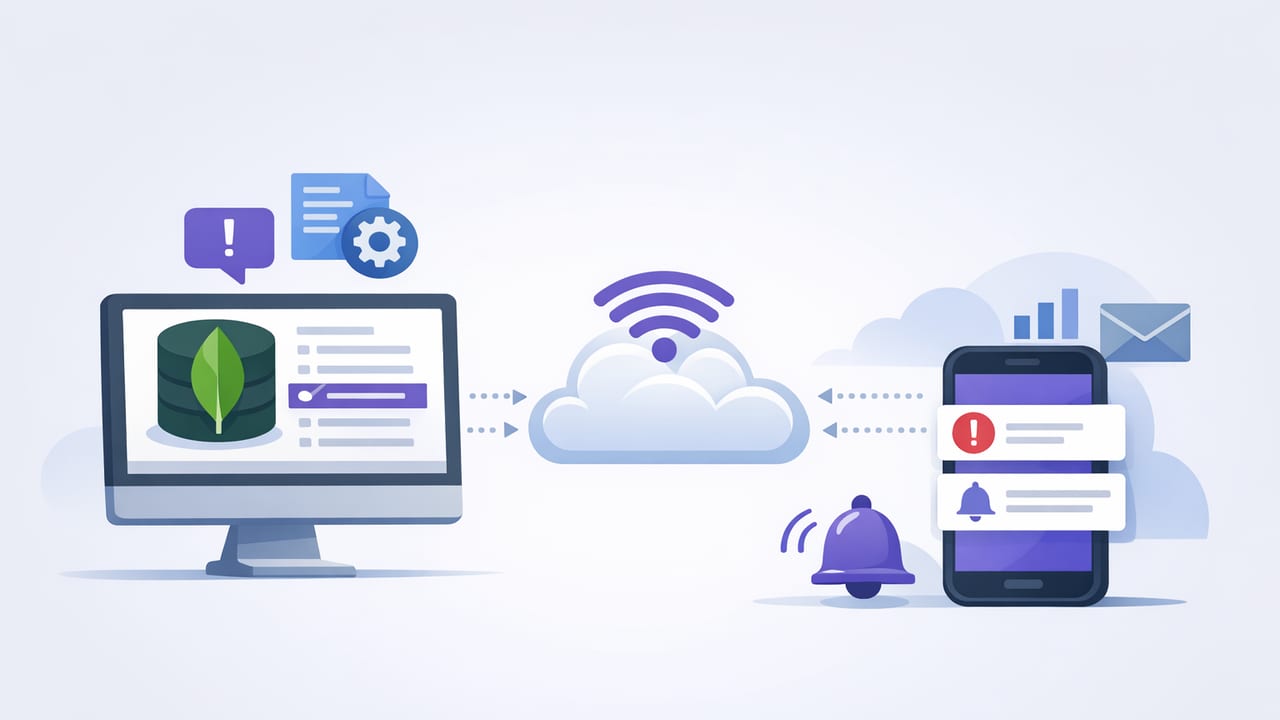
Production MongoDB data changes fast: payments settle, inventory drops, feature flags flip, and background jobs write status updates. The hard part isn’t storing that data—it’s noticing the right change quickly enough to act. That’s where push notifications shine: they cut through dashboards, email overload, and “someone should check this” habits.
This guide explains how to monitor MongoDB changes with push notifications using proven patterns. You’ll learn when to use MongoDB change streams vs scheduled checks, how to detect meaningful deltas (not noise), and how to deliver actionable pushes without compromising security.
What “monitoring MongoDB changes” really means
“Changes” can mean different things depending on your system. Before you wire anything up, decide which change type you care about:
- Document-level changes: a record is inserted, updated, deleted (e.g., a payout status becomes
failed). - Aggregate-level changes: a count/sum/metric crosses a threshold (e.g., “failed jobs in last 10 minutes > 25”).
- Behavioral changes: “no change happened” when one was expected (e.g., “no orders in 30 minutes”).
- Schema or configuration changes: index removed, feature flag toggled, permission drift.
Push notifications work best when the message is tied to a decision: “Do I need to intervene now?” If the notification can’t answer that, it’s likely to become noise.
Three practical architectures for MongoDB-to-push alerts
There are three common ways to detect MongoDB changes and turn them into push notifications. Each has trade-offs in latency, complexity, and coverage.
| Approach | Best for | Latency | Operational cost | Notes |
|---|---|---|---|---|
| Change Streams | Instant alerts on inserts/updates/deletes | Near real-time | Medium | Requires replica set/sharded cluster; you run a watcher service |
| Scheduled queries (polling) | Thresholds, “no events,” summary checks | Interval-based | Low–Medium | Works everywhere; can be read-only and safe if designed well |
| Database/app triggers | Event-driven workflows with managed glue | Near real-time | Low–Medium | Vendor/platform dependent; watch for retry semantics and duplicates |
Pattern 1: Change streams for real-time, document-level pushes
MongoDB change streams emit events when data changes in a collection (or entire database). This is ideal for “tell me as soon as it happens” scenarios: fraud signals, payment failures, or high-priority state transitions.
How to make change-stream notifications actionable
Don’t alert on every update. Filter for meaningful changes and include context. Common strategies:
- Match specific fields: only notify when
statuschanges tofailedorchargeback. - Filter by severity: e.g., notify only for orders above a value threshold.
- Deduplicate: retries and rapid updates can produce bursts—collapse them by document ID + time window.
- Enrich: include the primary identifier, environment, and suggested action in the push.
Example: Node.js watcher that sends a push via a webhook
The cleanest design is to keep your watcher small: listen to a change stream, apply filters, and call an alerting endpoint (which then sends push notifications via your provider).
// npm i mongodb
// A minimal change-stream watcher (conceptual example)

const { MongoClient } = require('mongodb');

const uri = process.env.MONGODB_URI;
const dbName = 'app';
const collectionName = 'payments';

async function run() {
  const client = new MongoClient(uri, { maxPoolSize: 5 });
  await client.connect();

  const coll = client.db(dbName).collection(collectionName);

  // Only alert on updates where status becomes 'failed'
  const pipeline = [
    {
      $match: {
        operationType: 'update',
        'updateDescription.updatedFields.status': 'failed'
      }
    }
  ];

  const stream = coll.watch(pipeline, { fullDocument: 'updateLookup' });

  for await (const event of stream) {
    const doc = event.fullDocument;

    const payload = {
      title: 'Payment failed',
      body: `Payment ${doc._id} failed for user ${doc.userId}`,
      severity: 'high',
      meta: { paymentId: String(doc._id) }
    };

    // Send to your push/alert service (webhook, queue, etc.)
    await fetch(process.env.ALERT_WEBHOOK_URL, {
      method: 'POST',
      headers: { 'content-type': 'application/json' },
      body: JSON.stringify(payload)
    });
  }
}

run().catch(err => {
  console.error(err);
  process.exit(1);
});
Reliability checklist for change streams
- Run the watcher as a managed service: container/daemon with restarts.
- Handle resume tokens: store them so you can resume after downtime without missing events.
- Plan for duplicates: at-least-once delivery is common; make notification sending idempotent.
- Backpressure: if changes spike, buffer events (queue) rather than blocking MongoDB.
Pattern 2: Scheduled queries for thresholds, summaries, and “no activity”
Change streams are great for specific document events, but many alerting needs are aggregate and time-window based: “error rate rising,” “failed jobs in last 15 minutes,” or “no signups since lunch.” For these, scheduled MongoDB queries (polling) are often simpler and more expressive.
Example: alert when failures exceed a threshold in the last 10 minutes
Use an aggregation pipeline that’s cheap (indexed) and returns a small result.
// MongoDB aggregation pipeline (run on a schedule)
[
  {
    $match: {
      status: 'failed',
      createdAt: { $gte: new Date(Date.now() - 10 * 60 * 1000) }
    }
  },
  { $count: 'failuresLast10m' }
]
Then apply a rule: if failuresLast10m > 25, send a push notification with the count and a link to your runbook.
Delta-based monitoring (catch changes without change streams)
If you want to “monitor changes” but can’t use change streams (or you want an extra safety net), track a high-water mark:
- Store the last seen
updatedAtorObjectIdtimestamp. - On each run, query “new or updated since last time.”
- Alert on the subset that matches your conditions.
// Pseudocode for scheduled delta checks
// state.lastSeenUpdatedAt is stored in durable storage

const since = state.lastSeenUpdatedAt;

const docs = await db.collection('orders').find({
  updatedAt: { $gt: since },
  status: 'chargeback'
}).limit(100).toArray();

if (docs.length > 0) {
  notify(`Chargebacks detected: ${docs.length}`);
}

state.lastSeenUpdatedAt = new Date();
save(state);
Make scheduled checks safe for production
- Use indexes: time-window filters should hit an index on
createdAt/updatedAt+ relevant status fields. - Return small payloads: counts and IDs, not entire documents.
- Read-only permissions: the monitoring user should not be able to write.
- Choose intervals intentionally: 1–5 minutes for operational issues; 15–60 minutes for business metrics.
Pattern 3: Triggers and event routing (when you already have a platform)
If your stack already includes an event bus (Kafka/SNS/SQS/PubSub) or managed database triggers, you can route MongoDB events into a notification pipeline. This can reduce custom code, but be careful with:
- Retry behavior: your push endpoint must handle retries safely.
- Ordering: updates may arrive out of order across partitions or retries.
- Fan-out control: a single write can cause many downstream actions—rate-limit notifications.
Designing push notifications that developers won’t ignore
Push is powerful precisely because it interrupts. That means your content and rules matter as much as your MongoDB detection logic.
What to include in each push
- Signal: what happened (e.g., “Job queue backlog is growing”).
- Impact: why it matters (e.g., “delays > 15 minutes”).
- Scope: environment, region, service name.
- Next step: link to dashboard or runbook, or a suggested command/query.
A good alert is a question you can answer quickly: “Is this real, and what should I do next?”
Push vs email for MongoDB change monitoring
- Use push for urgent, time-sensitive incidents (payments failing, data pipeline broken).
- Use email for summaries, daily anomaly digests, and lower-severity trend alerts.
- Use both when you need redundancy (e.g., push for immediate action + email for audit trail).
Security essentials for database-driven push alerts
Alerting systems often become “quiet backdoors” because they need connectivity to production data. Lock them down.
Minimum security baseline
- Encrypted connections: enforce TLS to MongoDB; validate certificates where possible.
- Least privilege: create a dedicated read-only user scoped to required collections.
- Network controls: allowlist IPs/VPC peering/private networking; avoid exposing MongoDB publicly.
- Secret management: store credentials in a vault/secret manager; rotate regularly.
- Data minimization: never send sensitive fields in push payloads (PII, tokens, full documents).
Safe payload example
Push notifications should carry identifiers and a short message—not raw data.
// Example notification payload (conceptual)
{
  "title": "Chargeback detected",
  "body": "Order 8f31… marked as chargeback (prod)",
  "meta": {
    "orderId": "8f31c...",
    "env": "prod",
    "runbook": "https://intranet/runbooks/chargebacks"
  }
}
Putting it together: choosing the right pattern
Use this quick decision guide:
- If you need immediate alerts on specific document transitions: choose change streams.
- If you need thresholds, windows, or “no activity”: choose scheduled queries.
- If you already have event infrastructure and want managed routing: consider triggers/event bus.
Operational tips: reduce noise without missing incidents
- Set severity levels: only “page/push” on high severity; route medium to email.
- Add suppression windows: avoid repeated alerts for the same condition for N minutes.
- Use hysteresis: trigger at 30 failures, clear at 10, to prevent flapping.
- Test with fixtures: simulate events to ensure the right filters and payloads.
- Log every alert decision: store why an alert fired (query result, threshold, timestamp).
FAQ
Can I monitor MongoDB changes if I don’t have a replica set?
Change streams require a replica set or sharded cluster. If you can’t enable that, scheduled queries (polling) with delta logic is the most portable alternative.
How often should I run scheduled checks?
For operational conditions, 1–5 minutes is typical. For business KPIs, 15–60 minutes is often enough. Always confirm the query is indexed and inexpensive before tightening intervals.
What’s the biggest push-notification anti-pattern?
Alerting on raw activity (e.g., “document updated”) instead of meaningful conditions (e.g., “status changed to failed for high-value orders”). Raw activity becomes noise quickly.
Conclusion
To monitor MongoDB changes with push notifications effectively, treat it as an engineering system: pick the right detection method (change streams vs scheduled queries), design alerts that are actionable, and enforce security and reliability from day one. Done well, push notifications become a lightweight, high-signal way to stay ahead of incidents and data anomalies.
If you prefer an iOS-first workflow for scheduled, read-only database checks that can notify via push, tools like Query Alert can fit naturally into this monitoring pattern.