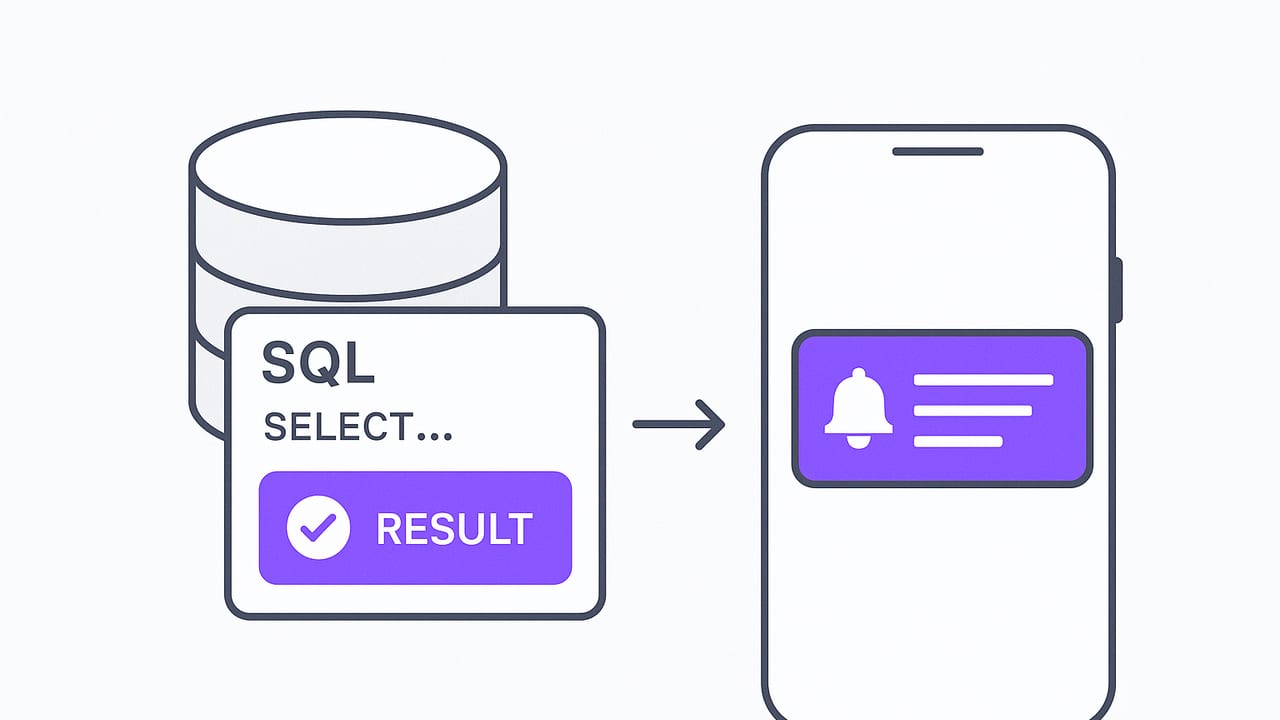
When a threshold is crossed in your database—payments failing, inventory depleting, fraud signals spiking—you want your phone to buzz immediately. This guide shows how to turn SQL queries into reliable push notifications for critical SQL results, covering design patterns, sample SQL, and practical tips for Postgres and MySQL. The goal is simple: alert quickly, safely, and only when it truly matters.
What qualifies as “critical” in SQL?
Critical SQL results are conditions that require a human response or immediate remediation. They typically fall into these categories:
- Risk and fraud: Unusual velocity, duplicate transactions, or outlier chargebacks.
- Business operations: Low inventory, failed orders, fulfillment backlog, or service-level breaches.
- Data pipeline reliability: ETL job failures, late partitions, or missing data in time windows.
- Security and compliance: Suspicious logins, privilege escalations, or schema drift.
Only results that are actionable should generate a push. If it’s not actionable, send it to a dashboard or email digest instead.
If it pages, it must be actionable—and it must page quickly.
Architectures for converting SQL into push
There are several patterns to get push notifications for critical SQL results. Your choice depends on latency, complexity, and operational overhead.
| Approach | Latency | Setup | Pros | Cons |
|---|---|---|---|---|
| Scheduled polling (cron + SQL) | Seconds–minutes | Low | Simple, portable, read-only | Not true realtime; needs dedupe |
| Triggers to alert table | Near realtime | Medium | Fast, fine-grained | Write access required; can impact write path |
| Postgres LISTEN/NOTIFY | Near realtime | Medium | Native pub/sub | Payload size limits; not durable |
| Change data capture (CDC) | Near realtime | High | Robust, scalable | Operationally heavy |
| Materialized view + poll | Seconds–minutes | Medium | Precomputed, efficient | Needs refresh strategy |
For most teams, a scheduled polling pattern with a small layer for deduplication and rate limiting is the fastest to ship and the easiest to secure with read-only access. If you need sub-second latency or already run CDC, you can promote to those later.
A reliable pipeline, end to end
Here’s a pragmatic blueprint you can deploy in hours—not weeks.
- Express the condition in SQL using a small time window (e.g., last 5 minutes) to detect fresh issues.
- Persist alert state so you only notify on changes (open, acknowledged, closed).
- Schedule execution with a cron, serverless function, or job runner.
- Send push through APNs (iOS) with rate limits and grouping.
- Measure and tune with a feedback loop.
1) Example SQL: detecting a spike in failed orders
Postgres example to detect an elevated failure rate over the last 5 minutes with a minimum volume guardrail:
-- Create a minimal view into the last 5 minutes
WITH last5 AS (
  SELECT
    COUNT(*) FILTER (WHERE status = 'failed')::decimal AS failed,
    COUNT(*)::decimal AS total
  FROM orders
  WHERE created_at > now() - interval '5 minutes'
)
SELECT
  CASE WHEN total >= 40 AND (failed / GREATEST(total,1)) >= 0.05
       THEN 'CRITICAL' ELSE 'OK' END AS status,
  failed, total, round(100 * failed / GREATEST(total,1), 2) AS failure_pct
FROM last5;
MySQL variant:
SELECT
  IF(total >= 40 AND failed / GREATEST(total,1) >= 0.05, 'CRITICAL', 'OK') AS status,
  failed, total, ROUND(100 * failed / GREATEST(total,1), 2) AS failure_pct
FROM (
  SELECT
    SUM(status = 'failed') AS failed,
    COUNT(*) AS total
  FROM orders
  WHERE created_at > NOW() - INTERVAL 5 MINUTE
) AS last5;
2) Persist alert state to avoid noise
Use a small table to track whether an incident is open, acknowledged, or closed. This prevents duplicate pushes every minute while the condition persists.
CREATE TABLE IF NOT EXISTS alert_state (
  alert_key TEXT PRIMARY KEY,   -- e.g., 'orders_failure_rate'
  status TEXT NOT NULL,         -- 'OPEN' | 'ACK' | 'CLOSED'
  last_change TIMESTAMPTZ NOT NULL DEFAULT now(),
  last_hash TEXT                 -- fingerprint of the last payload
);
When your SQL says CRITICAL and the current state is not OPEN, transition to OPEN and send a push. When the SQL returns OK and the state is OPEN, transition to CLOSED and send a resolve notification.
3) Job runner and rate limiting
Run the check every 1–5 minutes for most business signals. Add simple rate limits per alert key (e.g., max 1 open and 1 resolve push every 5 minutes) and a cooldown to avoid flapping. Use a jittered schedule to avoid thundering herds across many alerts.
4) Send the push via APNs
Here’s a minimal, production-ready outline using Python, Postgres, and token-based APNs. Omit secrets from code; store them in a secrets manager.
# pip install psycopg2-binary hyper && ensure a valid APNs token
import json, time, jwt
import psycopg2
from hyper import HTTP20Connection

APNS_TEAM_ID = 'YOUR_TEAM_ID'
APNS_KEY_ID = 'YOUR_KEY_ID'
APNS_BUNDLE_ID = 'com.example.app'
APNS_PRIVATE_KEY = open('AuthKey_YOUR_KEY_ID.p8', 'rb').read()
APNS_HOST = 'api.push.apple.com'  # sandbox: api.sandbox.push.apple.com

def apns_token():
    return jwt.encode({'iss': APNS_TEAM_ID, 'iat': int(time.time())}, APNS_PRIVATE_KEY, algorithm='ES256', headers={'kid': APNS_KEY_ID})

def send_push(device_token, title, body, thread_id, category='CRITICAL'):
    conn = HTTP20Connection(APNS_HOST, port=443, secure=True)
    path = f"/3/device/{device_token}"
    headers = {
        'apns-topic': APNS_BUNDLE_ID,
        'authorization': f"bearer {apns_token()}",
        'apns-push-type': 'alert',
        'apns-priority': '10'  # time-sensitive? set interruption-level in payload
    }
    payload = {
        'aps': {
            'alert': {'title': title, 'body': body},
            'category': category,
            'thread-id': thread_id,
            'interruption-level': 'time-sensitive'
        }
    }
    conn.request('POST', path, body=json.dumps(payload), headers=headers)
    resp = conn.get_response()
    if resp.status not in (200, 410):
        raise RuntimeError(f"APNs error {resp.status}: {resp.read()}")

# Pseudocode: query DB, compute state change, send push on transitions
Use a deterministic thread-id per alert key to group notifications on iOS and enable actionable categories (e.g., “Acknowledge” or “View Runbook”).
5) Measure, then tune
Track the count of opens, resolves, acknowledgments, and mean time to acknowledge. Iterate on thresholds and windows until they align with your service-level objectives.
Designing the SQL for signal, not noise
- Add volume guardrails: Require a minimum sample size before alerting.
- Use rolling windows: 5–15 minutes usually beats all-time aggregates.
- Consider rates, not counts: Percentages are more portable across traffic changes.
- Group by entity: Alert per region, tenant, or service to keep scope actionable.
- Snapshot the facts: Include enough fields to debug quickly in the notification body.
Preventing alert storms and false positives
- Hysteresis: Use different open and close thresholds (e.g., open at 5%, close at 3%).
- Debounce: Require N consecutive failing windows to open; N consecutive passing to close.
- Silence windows: Respect maintenance periods and predictable batch spikes.
- Deduplication: Hash the salient fields; if unchanged since last OPEN, don’t re-page.
- Escalation: If OPEN persists beyond X minutes, increase priority or widen recipients.
Security-first setup
Alerts should never require privileged access. Follow a few non-negotiables:
- Read-only roles: Create a least-privilege user limited to the target schema/tables.
- TLS everywhere: Enforce encrypted connections to the database and APNs.
- Credential hygiene: Rotate secrets; store them in a vault, not in source control.
- Network policy: Allowlist the job runner; deny public ingress when possible.
- Auditability: Log every query execution and push send with correlation IDs.
Testing before going live
- Dry-run mode: Log would-be pushes for a week to calibrate thresholds.
- Canary devices: Ship to a small tester group first.
- Synthetic events: Insert known-bad rows in a test schema to exercise the path.
- Load test: Ensure the SQL and push sender handle peak alert volume gracefully.
iOS-specific push tips that matter
- Time-sensitive alerts: For truly critical results, set
interruption-levelto time-sensitive. - Actionable notifications: Define categories with actions (e.g., Acknowledge, Open Runbook).
- Deep links: Include a URL or app route to the relevant dashboard or entity.
- Localization: Use concise, user-friendly language; avoid exposing raw SQL terms.
- Threading: Use a stable
thread-idper alert key to keep context grouped.
Going beyond polling: triggers and NOTIFY
If you need lower latency and can accept write-path changes, create a trigger that inserts into an alert_events table when a critical condition is met. A background worker polls that small table or uses LISTEN/NOTIFY in Postgres.
-- Postgres: enqueue when stock drops below threshold on update
CREATE TABLE IF NOT EXISTS alert_events (
  id bigserial PRIMARY KEY,
  event_key text,
  payload jsonb,
  created_at timestamptz DEFAULT now()
);

CREATE OR REPLACE FUNCTION stock_alert() RETURNS trigger AS $$
BEGIN
  IF NEW.quantity < NEW.reorder_threshold THEN
    INSERT INTO alert_events(event_key, payload)
    VALUES ('low_stock', jsonb_build_object('sku', NEW.sku, 'qty', NEW.quantity));
    PERFORM pg_notify('alerts', 'low_stock');
  END IF;
  RETURN NEW;
END;
$$ LANGUAGE plpgsql;

CREATE TRIGGER stock_alert_trg
AFTER UPDATE ON inventory
FOR EACH ROW EXECUTE FUNCTION stock_alert();
Keep the trigger lightweight. Processing and push sending should happen off the main transaction path (e.g., worker reads from alert_events).
Common pitfalls and how to fix them
- Flapping alerts: Add hysteresis and consecutive-window requirements.
- Silent failures: Add dead-letter logging and retries with backoff for APNs and DB calls.
- Expired device tokens: Handle APNs 410 by removing or refreshing tokens.
- Clock skew: Use database time (
now()) for windows; avoid relying on app server clocks. - Overscoped SQL: Reduce table scans with indexes and small windows; consider materialized views.
Example: Incident keying and dedupe
Use a stable alert_key and a hash of salient fields to avoid sending the same push repeatedly.
-- Compute a hash to detect if the payload truly changed
WITH status AS (
  SELECT 'orders_failure_rate' AS alert_key,
         failed, total,
         round(100 * failed / GREATEST(total,1), 2) AS pct
  FROM ...
), fingerprint AS (
  SELECT alert_key,
         md5(alert_key || ':' || pct::text) AS payload_hash,
         *
  FROM status
)
SELECT * FROM fingerprint;
If payload_hash matches alert_state.last_hash and status is already OPEN, skip the push.
Sample notification payload
Keep it short, actionable, and linked:
{
  "aps": {
    "alert": {
      "title": "Orders failure rate CRITICAL (7.8%)",
      "body": "Past 5m: 23 failed / 295 total. Tap to view runbook."
    },
    "category": "CRITICAL",
    "thread-id": "orders_failure_rate",
    "interruption-level": "time-sensitive"
  },
  "runbook_url": "https://ops.example.com/runbooks/orders-failure"
}
When to upgrade your architecture
- High cardinality alerts: Consider a queue (e.g., Kafka) with consumers per domain.
- Cross-database signals: Aggregate into a data warehouse and alert from there.
- Strict latency: Move to triggers + LISTEN/NOTIFY or CDC with a stream processor.
- Regulated environments: Add per-tenant isolation and encrypted audit logs.
Checklist: production readiness
- Read-only DB role and network allowlist in place
- SQL uses rolling window, volume guardrail, and indexes
- Alert state table and dedupe hash implemented
- Rate limiting, hysteresis, and silences configured
- APNs token auth with retries and 410 handling
- Dry-run results reviewed and thresholds tuned
- Runbook links added to payloads
Final thoughts
Shipping push notifications for critical SQL results doesn’t require a massive platform. Start with a read-only query, a tiny state machine, and APNs. Optimize for clarity, security, and reliability. As your needs grow—lower latency, more sources, stricter compliance—you can evolve from scheduled polling to triggers or CDC without changing the core principle: alert on what is actionable, and only when it truly matters.
Prefer a ready-made path on iOS? Tools like Query Alert can connect to PostgreSQL, MySQL, and MongoDB, schedule read-only checks, and deliver push or email notifications with encrypted connections and rate-limiting, so you can focus on the SQL that defines “critical.”