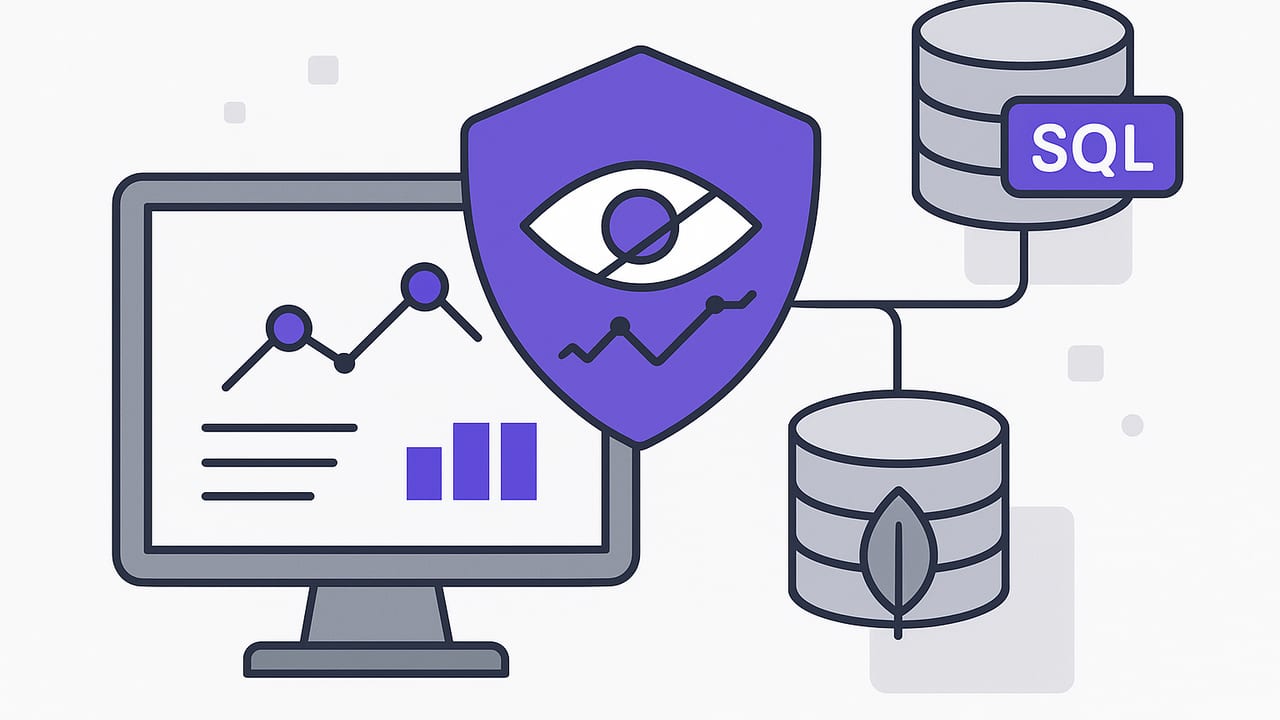
Read‑only monitoring is the practice of observing database state and changes without ever modifying data. It emphasizes safety, reliability, and compliance, making it ideal for teams that need visibility into production systems without risking accidental writes. In this guide, you’ll learn the main architectures for read‑only monitoring, how to design safe queries, reduce alert noise, secure your connections, and implement patterns that work across PostgreSQL, MySQL, and MongoDB.
Why Read‑Only Monitoring Matters
- Safety: By enforcing read‑only access, you avoid data corruption from buggy scripts, misconfigured tools, or human error.
- Stability: Read‑only queries are less likely to create locks or contention that can slow down production workloads.
- Compliance: Many regulations require clear separation between monitoring and operational writes. Read‑only roles help you pass audits.
- Ease of adoption: Teams are more comfortable deploying tools that cannot change data, especially on critical systems.
Principle: If your monitor can write, assume it eventually will—by mistake, by bug, or by compromise. Favor read only monitoring whenever possible.
Core Architectures for Read‑Only Monitoring
1) Scheduled polling queries
The simplest pattern: run a parameterized, read‑only query on a schedule, compare results to a threshold or previous run, and notify on change. It’s easy to deploy everywhere and works with SQL and NoSQL (via filtered reads).
2) Event‑driven via Change Data Capture (CDC)
Use logical replication slots (PostgreSQL), binlog readers (MySQL), or Kafka Connect CDC to stream row changes. While the ingestion pipeline might be complex, the monitor remains read‑only with respect to the source database, consuming change events externally.
3) Triggers with audit tables (read‑only consumer)
Database triggers can write to an audit table on inserts/updates/deletes. Your monitor then reads the audit table only. The monitoring component is read‑only; however, the database performs writes on your behalf. This pattern is useful when native CDC isn’t available.
4) Change Streams (MongoDB)
MongoDB change streams expose a continuous feed of operations on a replica set or sharded cluster. The monitoring consumer only reads from the stream and does not modify application data.
5) Materialized views and snapshots
Precompute summaries in materialized views or snapshot tables and refresh them on a schedule. The monitoring system reads those views to minimize load on hot tables.
| Approach | Setup Effort | Latency | Prod Load | Read‑Only Purism | Notes |
|---|---|---|---|---|---|
| Scheduled Polling | Low | Seconds–minutes | Low–Medium | Strong | Index‑driven; jitter schedules to avoid spikes. |
| CDC/Logical Decoding | Medium–High | Near real‑time | Low | Strong | External infra (brokers/consumers) often required. |
| Triggers + Audit Table | Medium | Near real‑time | Low–Medium | Monitor is read‑only | Requires DB writes via triggers; consider storage growth. |
| MongoDB Change Streams | Medium | Near real‑time | Low | Strong | Replica set required; can read from secondaries. |
| Materialized Views | Medium | Schedule‑based | Low | Strong | Great for heavy aggregations and dashboards. |
Designing Safe Read‑Only Queries
- Favor indexed filters: Always filter by indexed columns (e.g., status, updated_at, id ranges) to avoid full scans.
- Bound the time window: Query “what changed since last run” using a high‑water mark (timestamp or monotonic id).
- Keep payloads small: Select only necessary columns; avoid huge TEXT/BLOB fields in alerts.
- Use read‑only transactions: Enforce at the session level to prevent accidental writes.
- Make queries idempotent: The same query can run multiple times without changing results or causing side effects.
- Test with production‑like data: Confirm execution plans and latency under realistic cardinalities.
PostgreSQL example: read‑only windowed query
-- Create a least‑privilege, read‑only role
CREATE ROLE monitor_user LOGIN PASSWORD 'REDACTED';
GRANT CONNECT ON DATABASE appdb TO monitor_user;
GRANT USAGE ON SCHEMA public TO monitor_user;
GRANT SELECT ON ALL TABLES IN SCHEMA public TO monitor_user;
ALTER DEFAULT PRIVILEGES IN SCHEMA public GRANT SELECT ON TABLES TO monitor_user;

-- Query pattern: "what changed since last check"
BEGIN;
SET TRANSACTION READ ONLY;

WITH recent AS (
  SELECT id, user_id, amount_cents, status, updated_at
  FROM payments
  WHERE status IN ('failed', 'chargeback')
    AND updated_at > now() - interval '5 minutes'
)
SELECT COUNT(*) AS failures_last_5m,
       COUNT(DISTINCT user_id) AS affected_users,
       max(updated_at) AS newest
FROM recent;

ROLLBACK; -- End the read‑only transaction
This query is narrow (status filter), time‑bounded (last 5 minutes), and index‑friendly (index on (status, updated_at)). It’s ideal for read only monitoring that triggers alerts when thresholds are exceeded.
MySQL example: rate‑limited alert candidates
SET SESSION TRANSACTION READ ONLY;

SELECT error_code,
       COUNT(*) AS count_5m
FROM job_failures
WHERE occurred_at > NOW() - INTERVAL 5 MINUTE
GROUP BY error_code
HAVING COUNT(*) >= 25; -- Only alert on meaningful spikes
MongoDB example: safe reads with projection
// Using a read preference that avoids primaries when possible
db.getMongo().setReadPref('secondaryPreferred');

// Only fetch the fields required to craft the alert
const docs = db.orders.find(
  { status: 'pending', updatedAt: { $gt: new Date(Date.now() - 5*60*1000) } },
  { _id: 1, customerId: 1, updatedAt: 1 }
).limit(200);
Projects only the fields needed for the alert, keeping payloads (and network costs) minimal.
Reducing Noise: Alert Logic That Scales
- Aggregate first, alert second: Prefer counts/rates over raw rows.
- Thresholds with hysteresis: Alert when crossing a high threshold; clear when falling below a lower threshold to avoid flapping.
- Deduplicate: Hash the alert’s key dimensions (e.g., error_code+service) and suppress repeats for a cooldown period.
- Windows over point‑in‑time: Use sliding windows (5–15 minutes) rather than instantaneous spikes.
- Route by severity: Critical to push, informational to email or digest.
Example: threshold with hysteresis (SQL)
WITH counts AS (
  SELECT date_trunc('minute', occurred_at) AS m,
         COUNT(*) AS c
  FROM job_failures
  WHERE occurred_at > now() - interval '15 minutes'
  GROUP BY 1
),
roll AS (
  SELECT avg(c) OVER (ORDER BY m ROWS BETWEEN 14 PRECEDING AND CURRENT ROW) AS rate
  FROM counts
)
SELECT rate
FROM roll
ORDER BY 1 DESC
LIMIT 1;
-- If rate >= 100/min for 5+ minutes, fire; if <= 60/min for 5+ minutes, recover.
Scheduling and Resource Management
- Staggered schedules: Add jitter (±15–30%) to avoid synchronized spikes.
- Backoff on errors: Exponential backoff with a ceiling prevents rapid‑fire retries during outages.
- Timeouts and circuit breakers: Timebox each query and open a circuit if latency explodes; alert on the monitor’s health too.
- Cap result sets: Use
LIMITor cursors; log truncation when exceeded. - Prefer replicas: Point read only monitoring at read replicas or secondaries when consistent with your SLOs.
Securing Connections and Credentials
- TLS everywhere: Require encrypted connections and verify server certificates.
- Least privilege: Dedicated read‑only users per environment and per database; no SUPER/ADMIN rights.
- Network controls: Restrict source IPs, use VPN or private networking where available.
- Secret hygiene: Store credentials in a vault; rotate regularly; prefer short‑lived tokens where supported.
- Query allow‑list: Permit only vetted, parameterized queries; avoid dynamic SQL from untrusted input.
Observability for Your Monitor
- Metrics: Query duration, rows scanned, rows returned, timeouts, error rates.
- Coverage: Track which checks run, their intervals, and missed runs.
- Cost tracking: For cloud databases, monitor query cost units to avoid bill shock.
- Audit trails: Log who created/changed a check, parameters, and last run results (hashed if sensitive).
Notification Best Practices (Push and Email)
- Actionable payloads: Include a short summary, key metrics, and a deep link to a dashboard or runbook.
- Privacy: Avoid PII; reference IDs instead of names or emails.
- Prioritization: Critical alerts via push, routine summaries via email or chat.
- Quiet hours and overrides: Respect on‑call schedules; allow override for emergencies.
End‑to‑End Patterns
Pattern A: PostgreSQL payment failures spike
- Goal: Alert if failed payments exceed 50/min over 10 minutes.
- Data:
payments(status, updated_at, amount_cents)indexed on(status, updated_at). - Query:
SET SESSION CHARACTERISTICS AS TRANSACTION READ ONLY; WITH windowed AS ( SELECT date_trunc('minute', updated_at) AS m, COUNT(*) AS c FROM payments WHERE status = 'failed' AND updated_at > now() - interval '10 minutes' GROUP BY 1 ) SELECT avg(c) AS rate_10m FROM windowed; - Alert logic: If
rate_10m >= 50, send push; if sustained for 30 minutes, escalate to pager. - Noise controls: Deduplicate by service+env; 10‑minute suppression window after a fire.
Pattern B: MongoDB inventory dip via change streams
- Goal: Notify when inventory for any SKU falls under its reorder point.
- Consumer: Read change stream events from a secondary.
- Filter: Only consider updates to
inventoryQtyorreorderPoint. - Logic:
// Pseudocode for a read‑only consumer of change streams const stream = db.collection('products').watch([ { $match: { operationType: { $in: ['insert', 'update', 'replace'] } } }, { $project: { fullDocument: { sku: 1, inventoryQty: 1, reorderPoint: 1 } } } ], { fullDocument: 'updateLookup', readPreference: 'secondaryPreferred' }); stream.on('change', (ev) => { const doc = ev.fullDocument; if (doc && doc.inventoryQty <= doc.reorderPoint) { // Emit an alert (no writes to the source DB) } }); - Noise controls: Coalesce alerts for the same SKU within 30 minutes.
Common Pitfalls (and How to Avoid Them)
- Full table scans: Add the right composite indexes and verify plans with
EXPLAIN. - Clock skew: Use server‑side time (
now()), not client clocks, for windows and high‑water marks. - Time zone bugs: Store and query in UTC; normalize timestamps at ingest.
- Over‑alerting on deploys: Suppress alerts during planned maintenance windows or schema migrations.
- Unbounded result sets: Always
LIMITor paginate; truncate the alert body while linking to full results. - Ignoring the monitor’s health: Alert when checks time out, error repeatedly, or skip runs.
- Reading from primaries unnecessarily: Prefer replicas/secondaries for read only monitoring when consistency needs allow.
Fast Checklist for Read‑Only Monitoring
- Create a dedicated, least‑privilege read‑only role per database.
- Encrypt connections and verify certificates.
- Use indexed, time‑bounded, parameterized queries.
- Enforce read‑only transactions at the session level.
- Add jitter and backoff to schedules; set timeouts.
- Aggregate before alerting; set thresholds with hysteresis.
- Deduplicate alerts and route by severity.
- Prefer replicas or secondaries for monitoring reads.
- Log monitor health metrics and missed runs.
- Keep payloads minimal; avoid PII in notifications.
Conclusion
Read‑only monitoring provides a safe, scalable way to observe critical data without risking production writes. Whether you implement scheduled queries, CDC, change streams, or materialized views, the principles remain consistent: narrow your reads, bound your windows, secure your connections, and make alerts actionable. With thoughtful design and a few guardrails, you can reduce noise, improve response times, and keep your databases—and your team—calm under pressure.
If you prefer a mobile‑first workflow, an iOS app like Query Alert can connect to PostgreSQL, MySQL, and MongoDB to run read‑only checks on a schedule and deliver push or email notifications for important changes.